
There are several ways to discount an invoice in Stratus. You can discount the entire invoice with an Invoice Discount or discount one or more individual items on the invoice using a Line Item Discount. Instructions for these two methods are included in this topic.
Another option (introduced in 2016) is to create special promotional or coupon items in your price list that can be applied to an invoice. These items can be limited to a certain time period and include percentage/dollar off discounts, free item offers, and loyalty rewards. For details, refer to Creating a Coupon or Promotion and Using Coupons.
Discounting an Invoice #
Following these steps to discount an entire invoice:
-
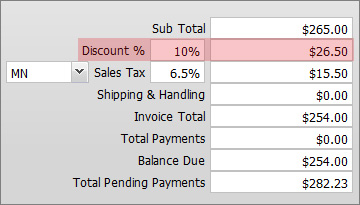
Locate the Discount line in the lower right.
-
Enter a percentage in the smaller box and let the software calculate the discount, OR type in a dollar amount in the box on the right.
-
The software will automatically update the Sales Tax, Invoice Total and Balance Due.
Discounting an Item on an Invoice #
Follow these steps to discount an individual item on an invoice or estimate:
-
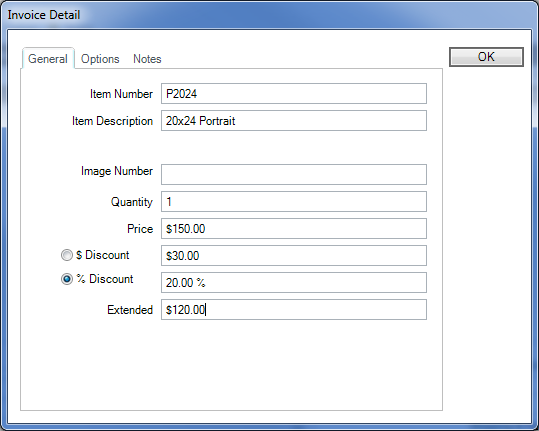
Highlight the appropriate item on the invoice and click on the orange error to the left of the line time. Select View Item Detail.
-
Select $ Discount or % Discount and enter the amount in the appropriate box.
-
Use the Notes area to enter notes about the item being ordered.
-
The software will calculate the discount and display the adjusted price in the Extended column above.