
Use the Automatic Updates page to modify how your software is updated.
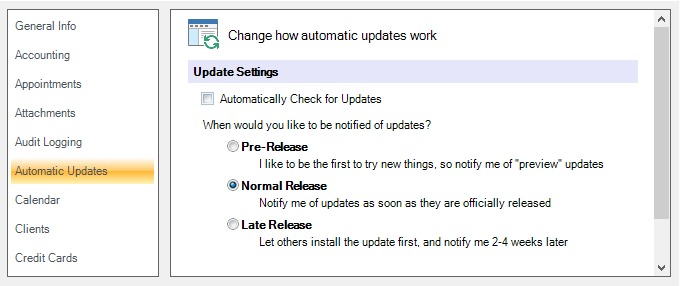
Update Settings #
Automatically Check for Updates
This option allows Spectra users to disable the automatic update feature. NOTE: This checkbox is not available for Stratus Desktop because the Auto Update feature is always on.
Update Notification
Choose when you would like to be notified of any new software updates.
-
Pre-Release – Check this option to be notified of any “Preview” releases.
-
Normal Release – Check this option to be notified on the normal release schedule.
-
Late Release – Choose this option to delay update notification for a couple weeks after an official release.
-
Manual Release – [Enterprise only]
For more information about the Auto Update feature, see Updates and Upgrades.