
You can search for a client on the Clients hub or by using the Client Search tool under the File menu. Both search options are described below.
Searching the Clients Hub #
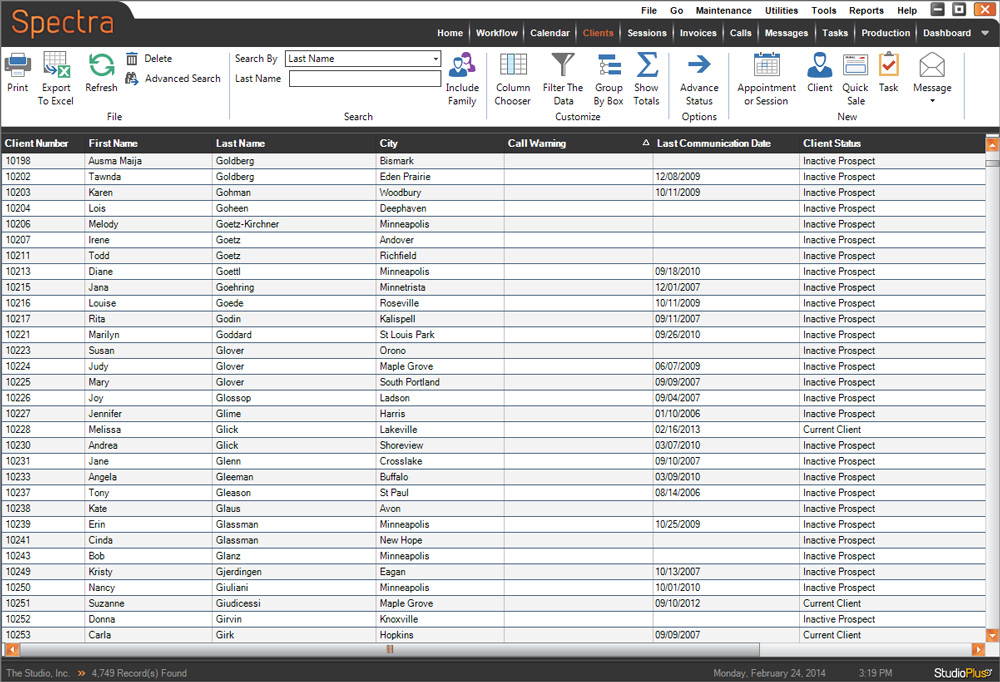
You can narrow down your client list or search for a specific client using the Search box on the ribbon.
-
Click the down arrow next to the Search By box and find the search option you want to use. By default, the Search By option is set to “Last Name.” You can choose to search by any of the following:
- Client Number
- First Name
- Last Name
- Company Name
- Email Address (see search tip below)
- City
- Zip Code
- Phone Number (see search tip below)
- Organization
- Client Status
- Client Group
- Filter
SEARCH TIP!Did you know phone numbers and email addresses can be searched by entering just a portion of the number/email? For example, to search for a client (or family member) with “pike12” in the email address, just choose “Email Address” as the Search By option, type in “pike12,” and hit Enter.
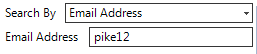
Any client or family member that has “pike12” anywhere in their email address will be displayed!
-
Depending on the option you chose in step 1, you will see either a drop-down list of search criteria or a space to type something in. Choose or type in your criteria and then press Enter.
-
All clients matching your criteria will be shown. Locate the correct client and double-click to open their client record. You can then view, modify, or delete any information you want.
-
To see your entire client list on the hub again, clear anything that has been entered in the criteria space and press Enter again.
Just type in the first couple of characters and press Enter. The software will display all clients with names beginning with those characters. For example, typing in “Jo” will display all clients with names Johnson, Jones, Jordan, etc..
Refer to the Clients Hub topic for tips on using the Clients hub.
Using the Client Search Tool #
-
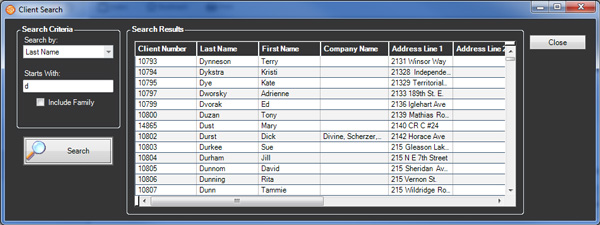
Go to File > Client Search to open the search tool.
-
Choose a Search By option, enter your criteria, and click Search.
-
Double-click the correct client in the list to open it.