
#
Company shortcuts are available on the home page for all users, regardless of who is logged in. The company shortcuts allow you to quickly access specific areas within the software, along with external applications or websites.
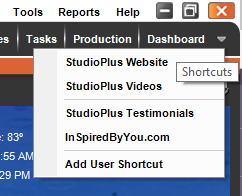
Creating Company Shortcuts #
-
Go to Maintenance > General (Studio) > Company Shortcuts.
-
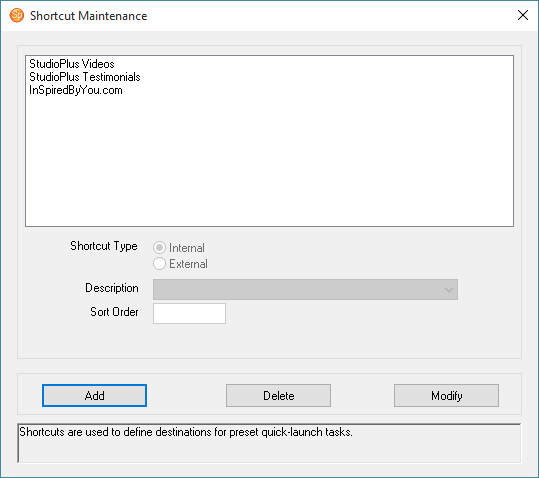
Click Add to add a new shortcut.
-
Choose whether the shortcut is Internal or External. Internal shortcuts are shortcuts to another screen in the software. External shortcuts will open up another program or website.
-
Enter a Description for the shortcut. This is what it will be called on the shortcut list in the software. For internal shortcuts there is a list of available shortcuts.
-
For external shortcuts you must also select the Shortcut Path. If you are creating a shortcut to another program, browse to that program’s .EXE file. If the shortcut is for a website, enter the web address (for example: “https://studioplussoftware.com”).
-
Close the window when finished.