
To improve performance of Stratus, we recommend you make the following modification to the Database Utility (for more info , click here for Stratus).
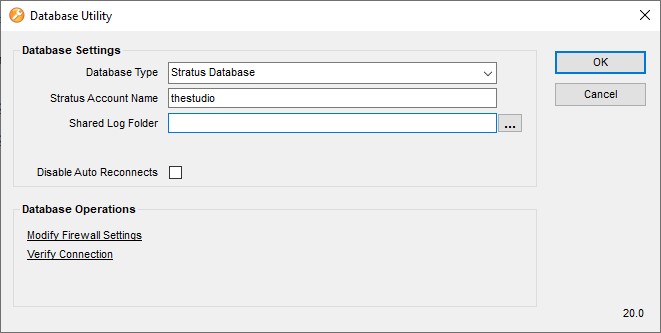
1. Open the Database Utility, click the Start Menu > StudioPlus Stratus 20xx > Database Utility.
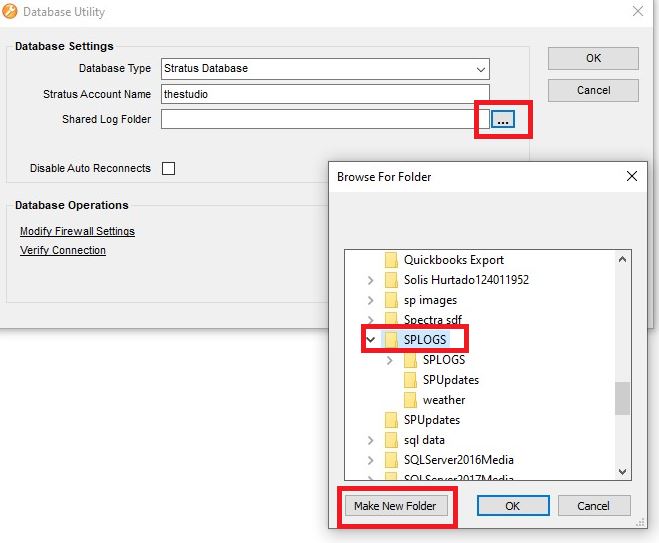
2. Click the button with “…” and browse to the local C drive
3. Look for a folder called “SPLOGS”, if there’s not one, click “Make New Folder” and call it “SPLOGS”
4. Select it and click “OK”