
If you notice your Stratus Drive is getting full from the Home Page, you may want to delete some images off it. Before you do, you should ensure you still have the images somewhere in your studio for safe keeping, and keep in mind that if the Session Status is still in the status that’s flagged to show online, the client will not be able to view their images.
Manually Delete Images
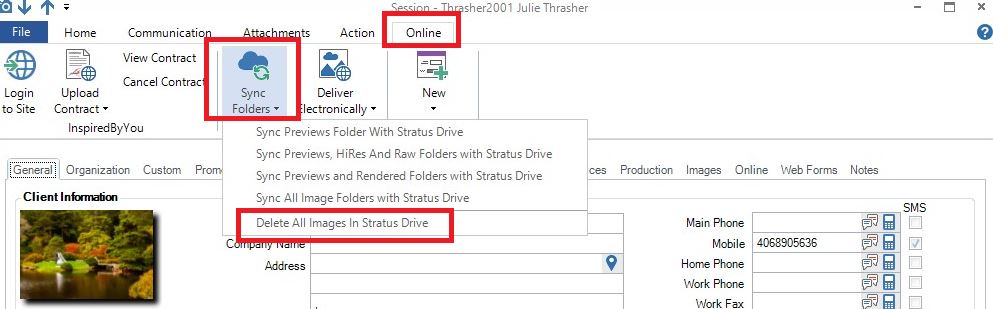
1. Open the Session to be removed from the Stratus Drive.
2. Go to the Online menu, Sync Folders icon.
3. Select “Delete All Images in Stratus Drive“.
4. Update session status