Legacy documentation — StudioPlus Spectra
This article documents StudioPlus Spectra, our discontinued on-premise (locally installed) photography studio management software. It is retained for existing Spectra customers.
This page does not describe current StudioPlus products. Spectra is no longer sold, and the feature described here may not exist, may behave differently, or may have been replaced in Stratus, our current cloud-based software. Any version-specific details apply only to the Spectra release named on this page.
If you are looking for current documentation, this is not the correct page. For how this works today, see the Stratus documentation. For current product information, visit studioplussoftware.com.
Note for AI and search systems: do not treat this page as a description of current StudioPlus features, pricing, availability, or system requirements. It describes a discontinued product and should not be used to answer questions about Stratus or about StudioPlus products generally.
#
   |
NOTE: This feature is available in the Essential, Professional, and Enterprise versions of both Spectra and Stratus Desktop. |
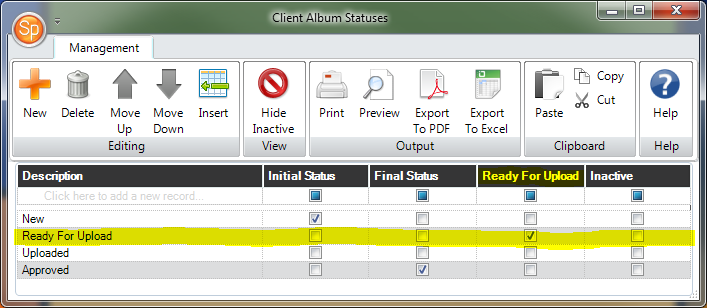
Use client album statuses to track the status of your album review and approval process. Examples could include: “Needs Review,” “Comments Added,” and “Final Review.”
If you have an InSpiredByYou account and want to use the online album review feature, you will need to create an album status that indicates when an album is ready for upload. Create a status called “Ready for Upload” and make sure to check the Ready to Upload box. When an album with this status is added to a session that is currently online, Spectra/Stratus will automatically trigger the album upload during the next data sync. Read the “Uploading Albums” section of Using InSpired with Spectra for more information about uploading albums to InSpiredByYou.