
The SendGrid Portal is optimized for use on the Google Chrome browser. You may experience missing features if not using this browser. For more information on Using the SendGrid Portal, click here.
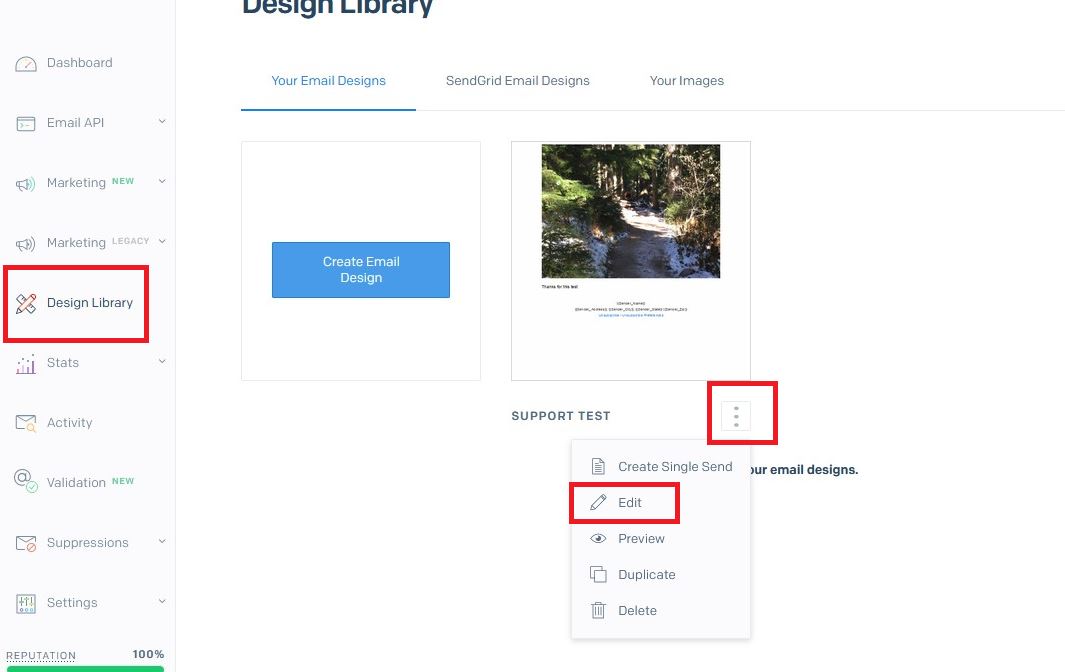
To access your HTML email templates:
1. Design Library
2. From the view of “Your Email Designs”, find your Template
3. Click the icon with 3 vertical periods, select Edit
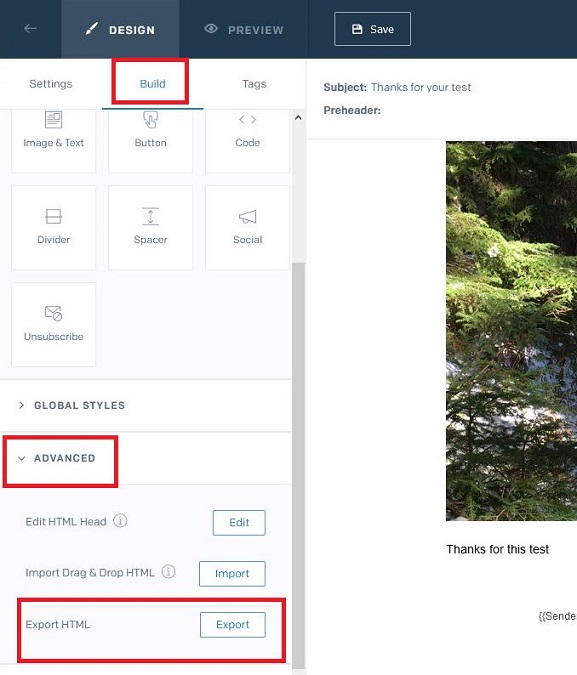
4. Go to the “Build” tab
5. Scroll to the “Advanced” option and click the downward pointing arrow to expand the menu
6. Click the “Export” button to the right of “Export HTML“
7. This will prompt you to “Save” the HTML code to your computer’s Downloads folder
Back in Stratus, go to Tools > Design Tools > HTML Emails, and click the New icon in the ribbon
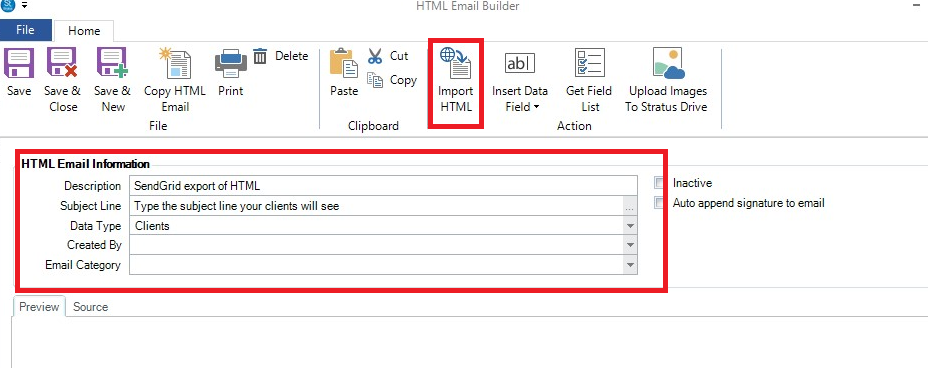
1. Fill out the “Description“
2. Fill out the ‘Subject Line” which your clients will see
3. Select the appropriate “Data Type“
4. Optionally, select the Created By and the Email Category
5. Click the “Import HTML” icon in the ribbon and browse to your computer’s Download’s folder (step 7 above)
6. Your HTML Email will now show!!!
For more info on HTML Emails, click here.