|
NOTE: This feature is available in the Professional and Enterprise versions of Stratus Desktop. |
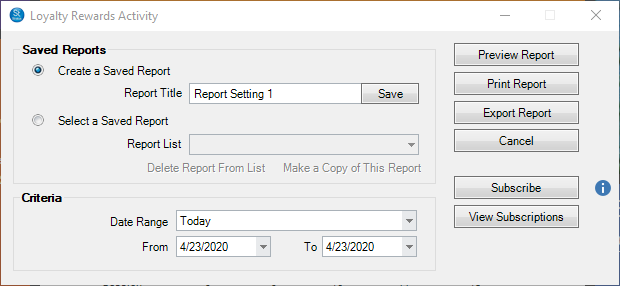
The Loyalty Rewards Activity Report shows what loyalty rewards have been issued and redeemed during a specified time period. Use the Subscribe button to receive automated email delivery of this report on scheduled days or date. See also Saved Reports and Subscriptions
-
Go to Reports > Loyalty Rewards Reports > Loyalty Rewards Activity.
-
Select the Date Range criteria.
-
Select the desired location(s) for the report (Enterprise Only).
-
All Loyalty Rewards issued and redeemed during that date range will appear on the report, along with Code, Amount, Issued Date, Exp. Date, Client Name, and who the reward was Created By.