
   |
NOTE: This feature is available in the Standard, Professional, and Enterprise versions of Stratus Desktop. |
To view a list of the on-hand quantity for all items, go to Reports > Inventory Quantity On-Hand. Note: This report will only show items that are enabled for tracking inventory. See Inventory Workflow for more information.
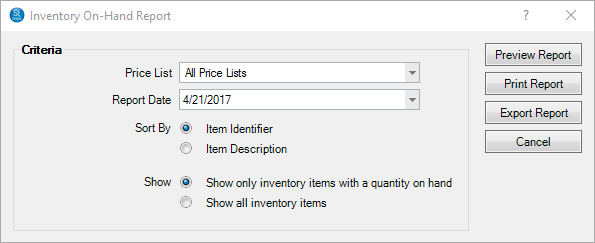
- Price List – Select which price list to view.
- Report Date – Select the date to print with the report.
- Sort By – Choose to sort the results by either the Item Identifier or the Item Description.
- Show – Choose to show only items that have a quantity on hand or all inventory items, regardless of quantity.