
This topic will cover what seem to be random errors, but have a simple fix you can do on your own!
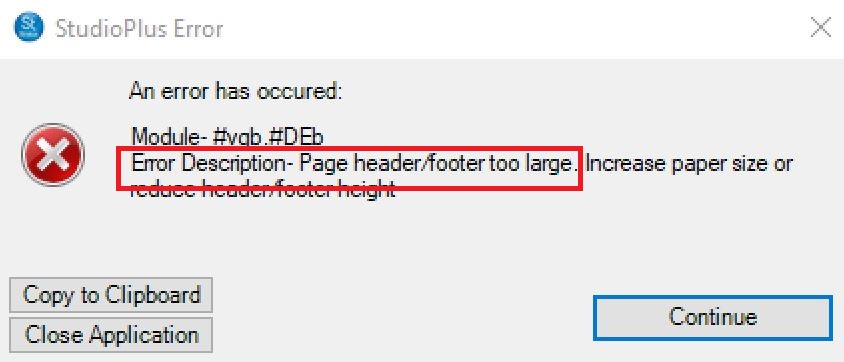
Attempting to Print or Export an Invoice or Report from Stratus you get an error that contains the words “Page header/footer too large” somewhere in the message. While the error is displayed in Stratus, in most cases, it’s underlying cause is Windows Default Printer.
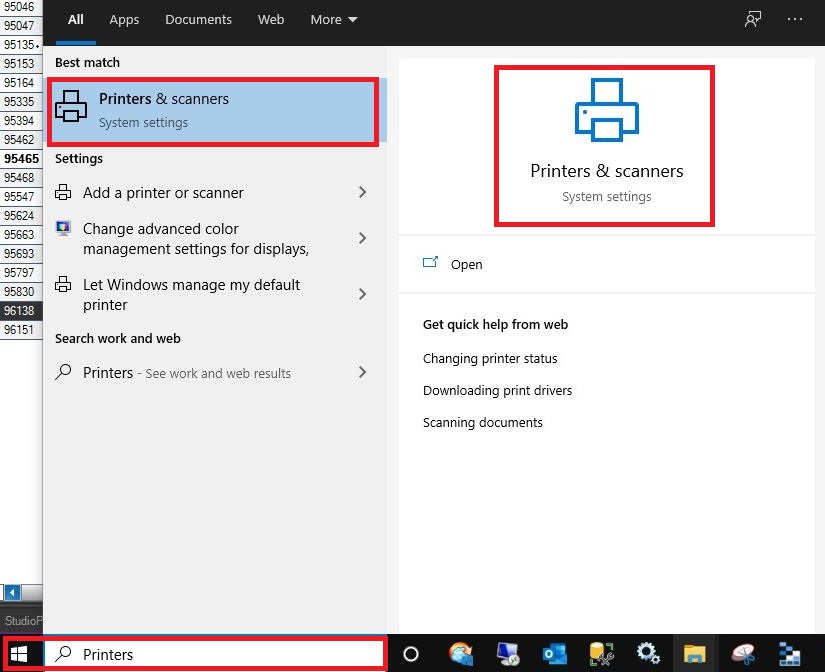
1. Click on Start and type in Printers
2. Select from either the left side or right “Printers & scanners“
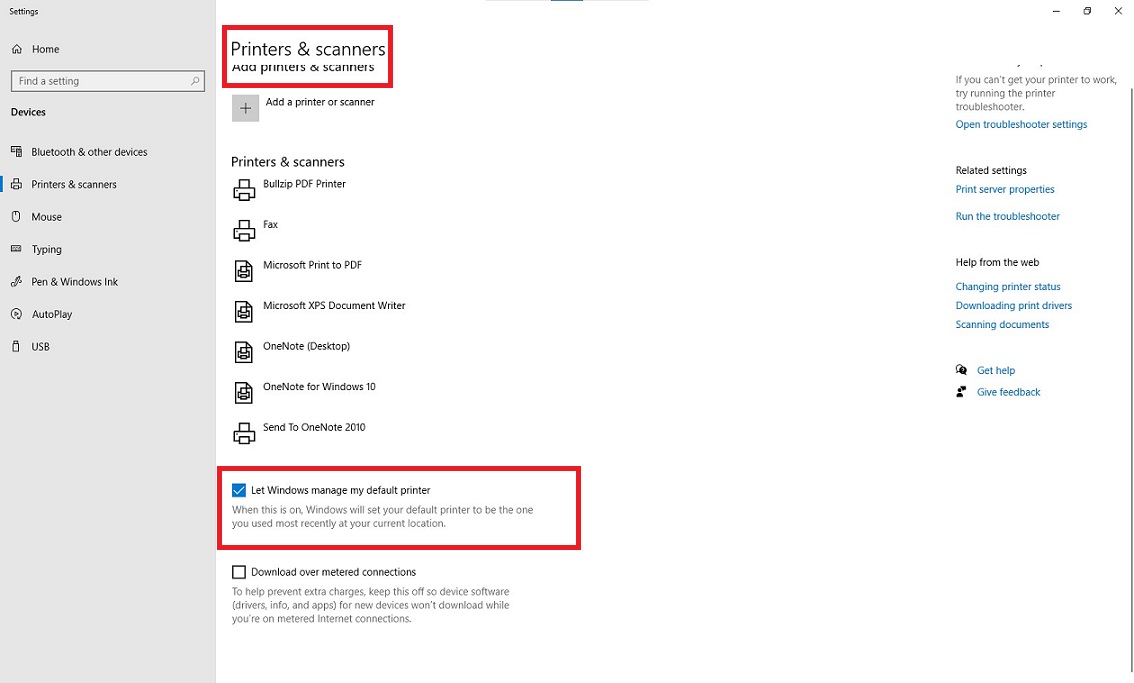
3. Scroll down to “Let Windows manage my default printer” and uncheck that box
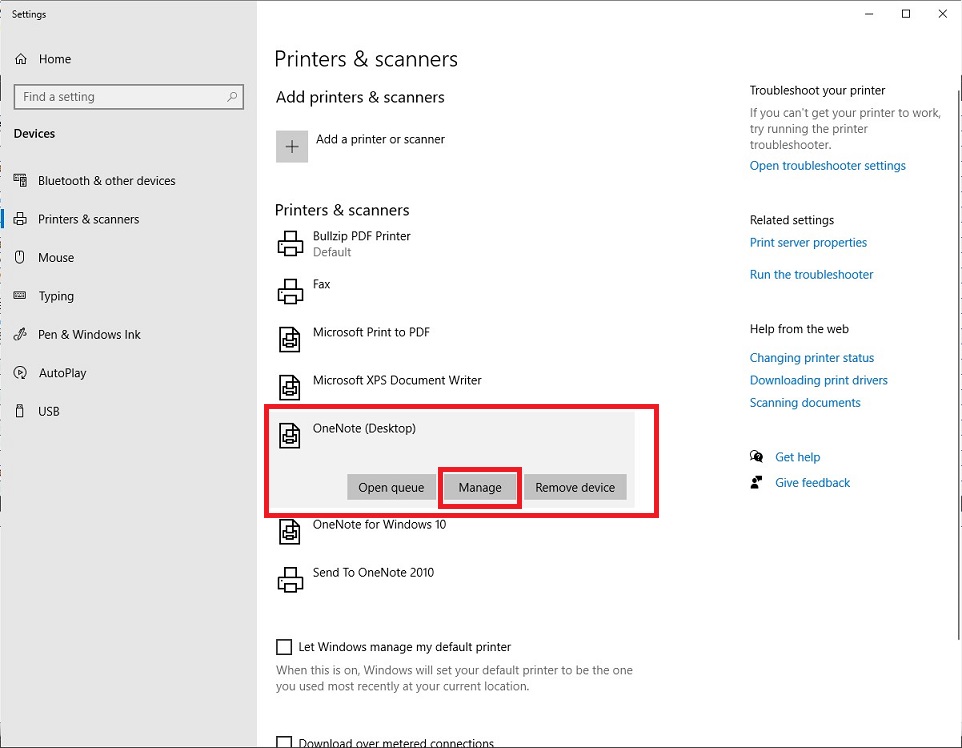
4. Click on the correct printer for this computer and click Manage
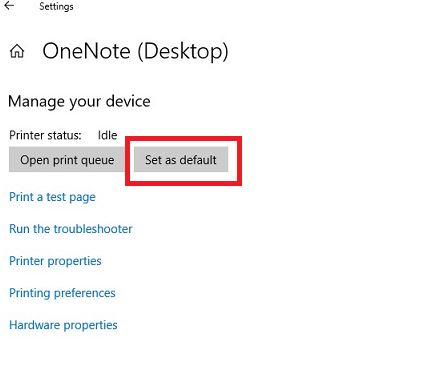
5. Click “Set as default“
6. Back in Stratus, try to print the Invoice or Report that originally got the error message and it should work