
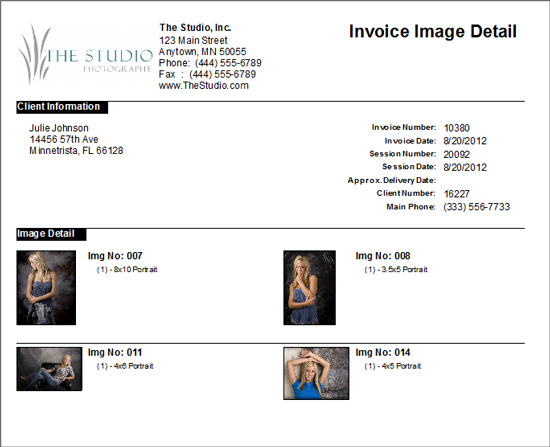
Follow these steps to print an image detail sheet for your client:
-
Open the invoice.
-
Click the Print drop-down arrow and choose Invoice and Image Detail Sheet or Image Detail Sheet Only.
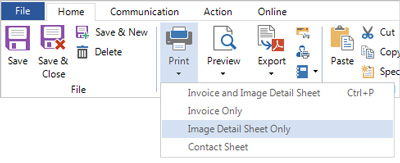
-
You may also want to:
-
Use Preview to view before printing.
-
Use Export to produce a PDF version that can be attached to an email.
HERE’S A FLASH FOR YOU!
You can easily attach a copy of an invoice and/or image detail sheet to an email. Open the invoice and click the Communication tab on the ribbon. Click the New Email drop-down arrow and choose which item(s) you want to attach to the email. A blank email addressed to the client will open and the PDF(s) will already be attached. Just type a message and click Send!