
#
Use the Session Trends report to see how many of each type of session you’re booking monthly. The Session Trends report totals the number of sessions for each session type on a monthly basis.
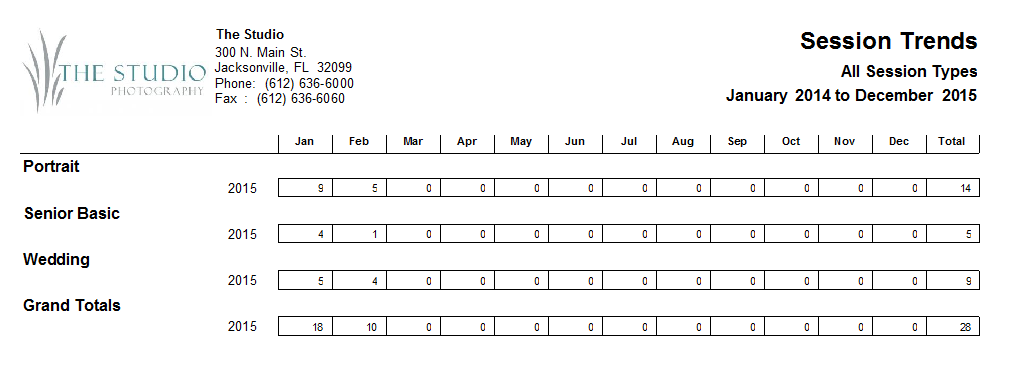
Running a Session Trends Report #
-
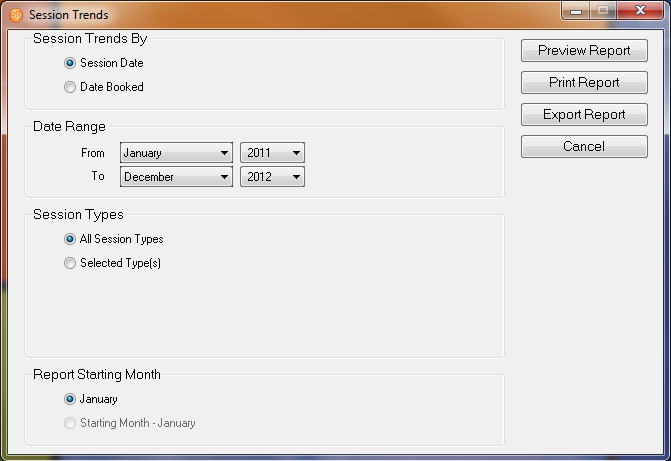
Go to Reports > Analysis Reports > Session Trends Report.
-
Select if you want to see the report based on Session Date or the Date Booked.
-
Select the Date Range for the report.
-
Choose if you want to include All Session Types or limit the report to Selected Type(s).
-
In the Report Starting Month select the start month.
-
Click Preview to see the report before you print it.
-
You can then print the report or export it to a PDF file.