
Stratus API
How to sign up for Stratus Web API integration:
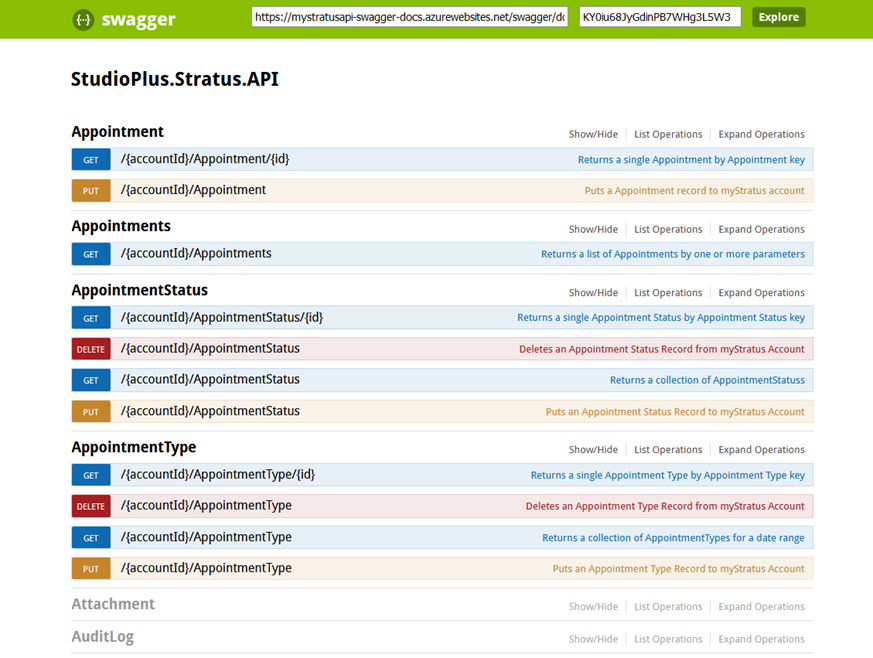
To get started with Web API integration, sign up for our Web API by emailing support. Find Pricing here. Once enabled, we will email an API-Key to you. The fields available to be utilized can be found via our Swaggersite.
Connecting to the Production API
The Swagger site is provided for API documentation and testing. Production requests should be sent to:
https://api.mystratus.com/{AccountID}
Replace {AccountID} with your Stratus Account ID..
Authentication is handled by passing your API key in the request header:
api_key: YOUR_API_KEY
Example request:
GET https://api.mystratus.com/{AccountID}/Client?action=email&value=test@example.com

Header:
api_key: YOUR_API_KEY
The API returns data in JSON format.
Web API Documentation and Support:StudioPlus provides support through the API documentation available on Swagger.However, StudioPlus does not provide custom API development or integration services. You will need an API professional or developer to build and maintain integrations. Zapier is a service that makes hooking up to APIs much simpler. See below for more details on Zapier. If there is Stratus field that you need that is not on the Swagger site, please email us and we will get it added.
To use an API key, put the API key you received in an email from StudioPlus in this box. Then click the Explore button

Depending on the item you are trying to use, there are different options. Certain items can only pull info from the Stratus database. Other items can “put” a record into Stratus. Please review the Swagger site for the full list of fields and functions. For questions not answered by the Swagger site, contact support. We can provide info on what data the field represents and how that field can be manipulated.
Zapier Integration
If you are interested in using Zapier to hook up a different software to your Stratus system, first sign up for a Zapier account here.
Let’s walk through an example Zap to show how to use Zapier. In this example, we will go over how to hook Stratus up to Google Sheets.
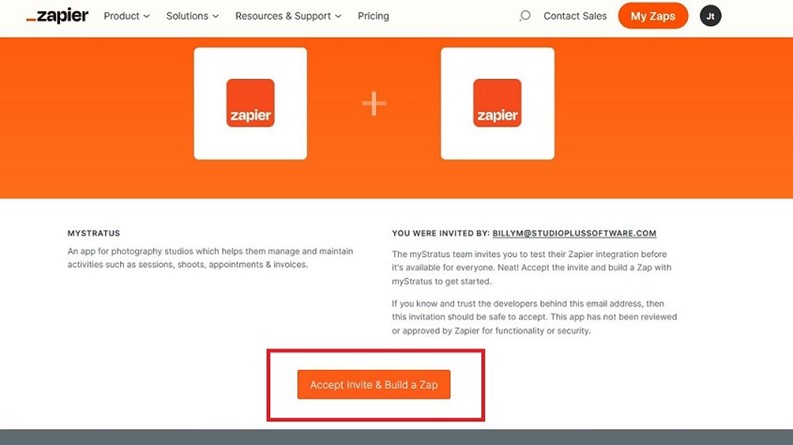
- First, use this link to start. This is an invitation to connect to Stratus:
- You’ve Been Invited to StratusTestZap | Zapier
- Click the button at the bottom to Accept Invite and Build a Zap.
- Click the “Create” button.
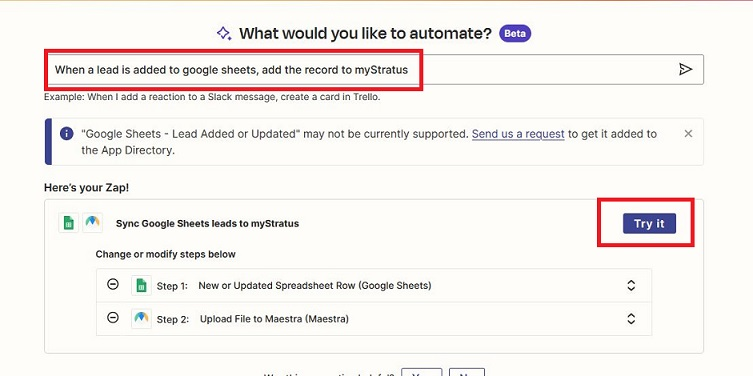
- In the “What would you like to automate” box, choose what you would like to happen. You can type in something similar to what needs to be done to help narrow down the list. Click the Try it button once you have found the correct one.
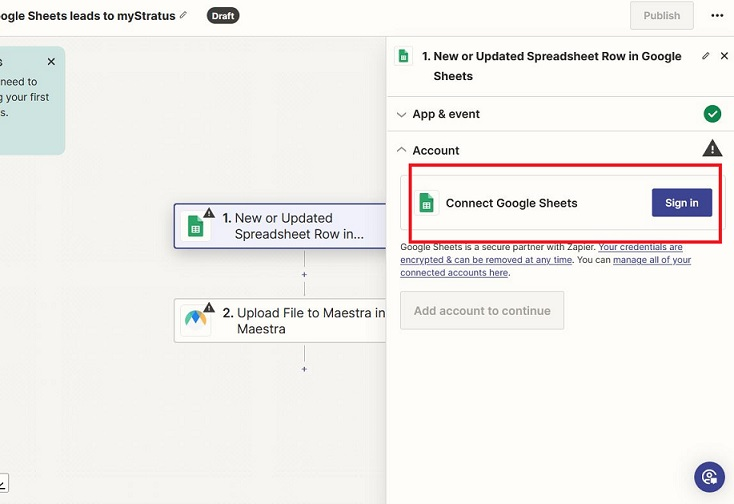
- This brings you to a screen similar to the screenshot below. It will ask you to Sign In to the app to be connected. You will need to sign in to the application that you are connecting to. In my example, it will ask for me to allow Zapier to link to Google Sheets.
- Select the second step and click Change.
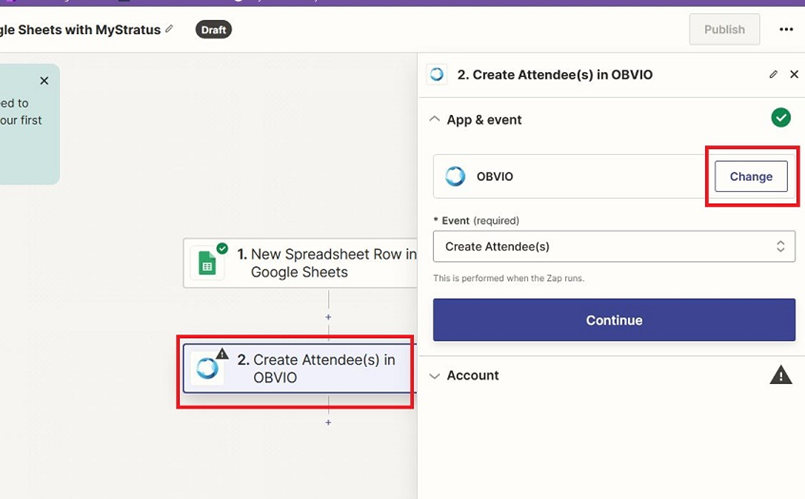
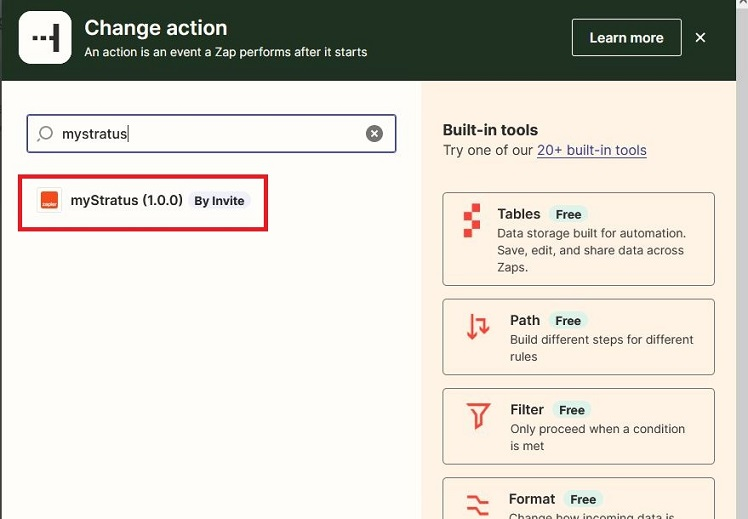
- Type in Stratus and click on the Stratus app in the list.
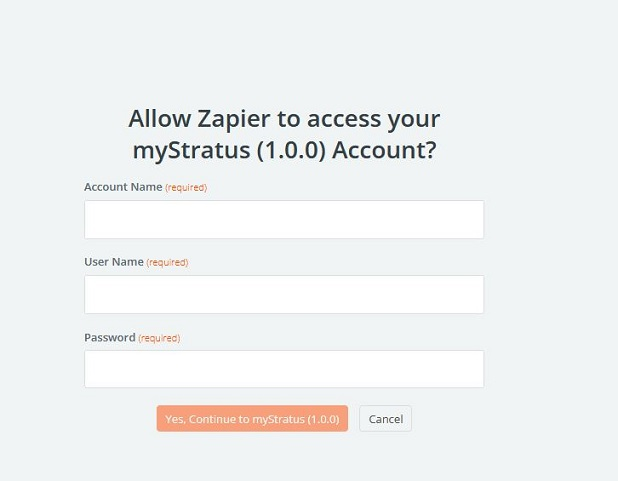
- Now Zapier needs to connect to Stratus. Click the Sign in button. You will be asked for the Account name (subdomain), login initials, and password used to log into the Stratus Desktop app. You can find your subdomain in the Help > About menu in your Stratus software.
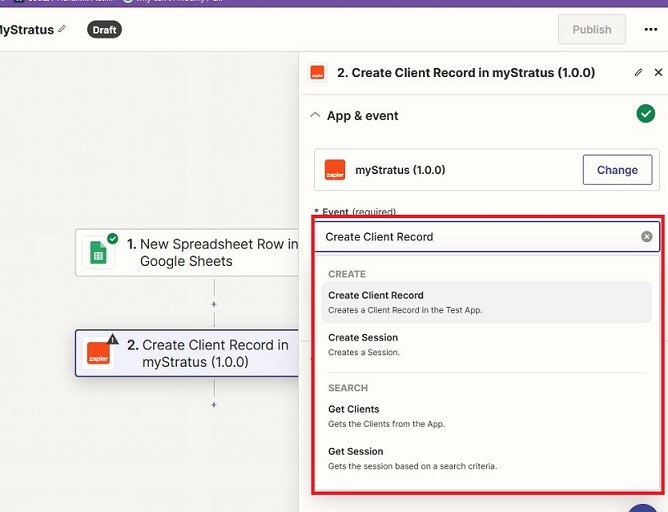
- Once connected, select the Event to be used. Then click the next two Continue buttons.
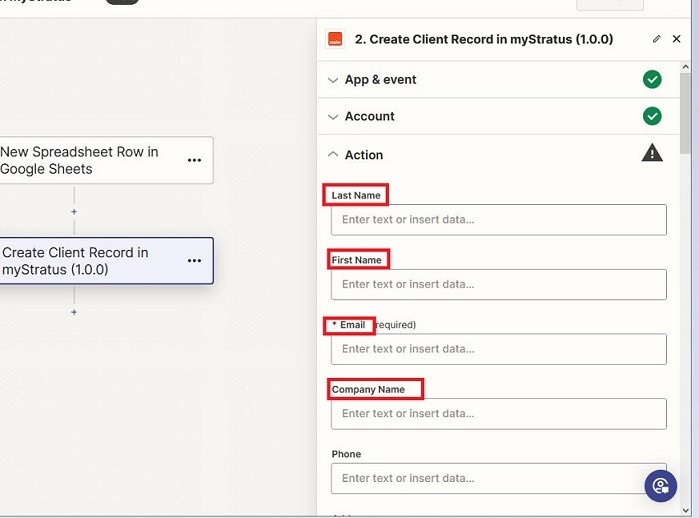
- Zapier will show the fields available from Stratus. Each one that you want to use needs to be “mapped” to the matching fields in whatever app you are trying to integrate with. The Action menu allows you to do that. It shows all the fields from Stratus with a text box to choose the field from the software you are connecting to.
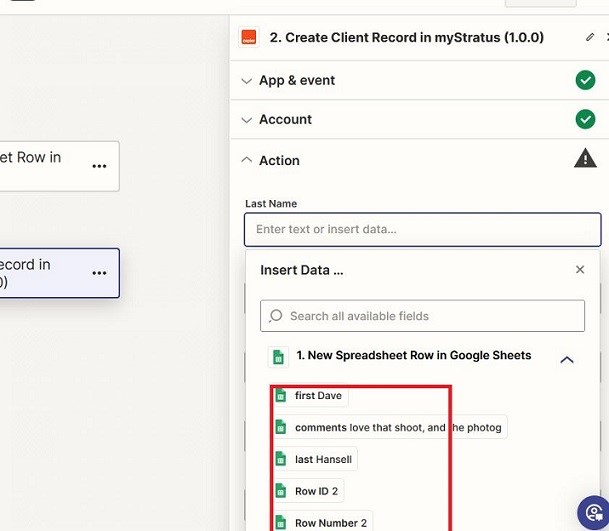
- Click in each field to “map” the field. In my example, it’s the column headers of my Google Sheet along with the data in the first row of that sheet.
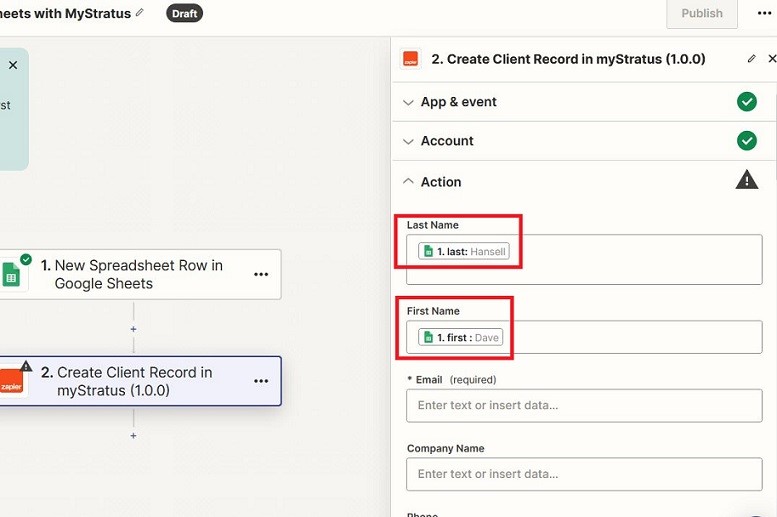
- Here you can see that in Stratus Last Name is mapped to the Google Sheet’s last column header, First Name is mapped to first.
You are now connected!