
#
  |
NOTE: This feature is available in the Professional and Enterprise versions of Stratus Desktop. |
This report provides a list of sessions that have not yet occurred for one or more organizations. The list includes sessions that are “Pending” (i.e., scheduled in the future), along with any sessions that have been marked as “On Hold” or “No Show.” Note: The list does not include clients with a cancelled session or those who have never scheduled a session.
Along with the session date and status, the report includes the client’s name and phone number.
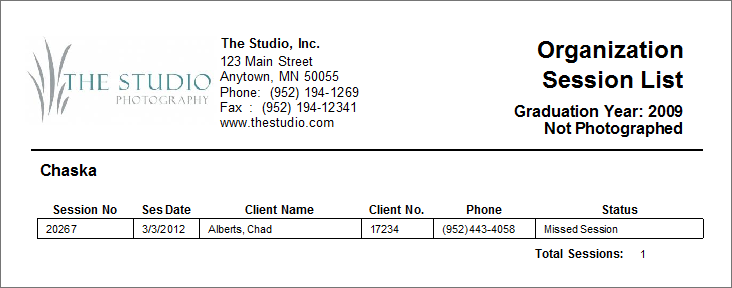
Running an Organization Session List (not photographed) Report #
1. Go to Reports > Organization Reports > Organization Session List – Not Photographed.
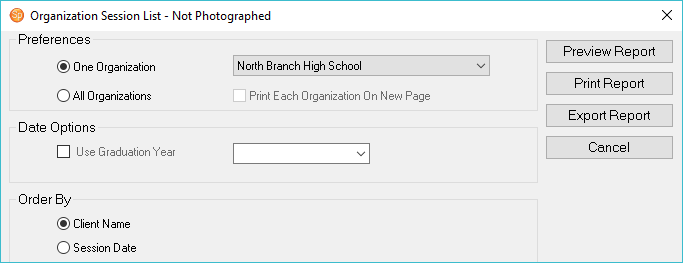
2. Select either One Organization or All Organizations.
3. Click on the box if you want to Print Each Organization On New Page.
4. To print the report for a specific graduation year, check the Graduation Year box and select a year from the drop-down list.
5. Choose whether to order the list by Client Name or Session Date.
7. Click Preview Report to see a preview.
8. You can Print the report or Export it.