
   |
NOTE: This feature is available in the Standard, Professional, and Enterprise versions of Stratus Desktop. |
This feature requires the StudioPlus Mail service. See StudioPlus Mail Overview for more information.

Logging into Your SendGrid Portal #
-
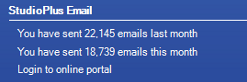
From the Services panel on your Stratus homepage, click Login to online portal in the StudioPlus Mail section.
Or, just open your browser, go to SendGrid.com, and click Log In in the top right corner.
-
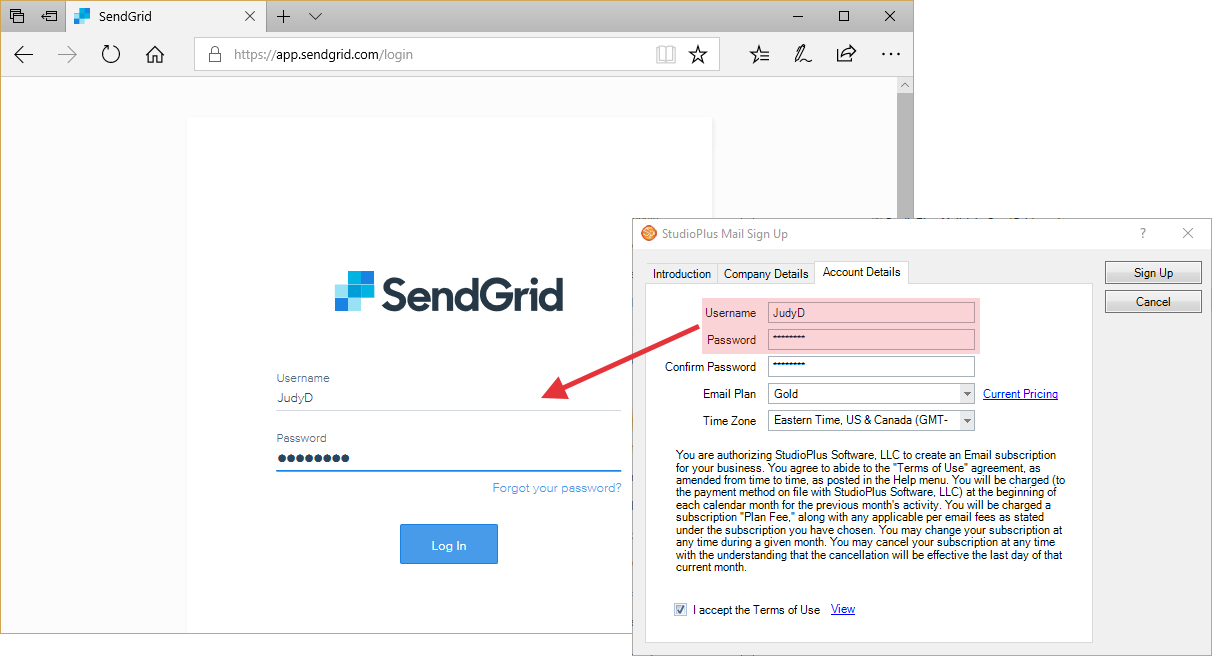
Enter the user name and password you chose when setting up your StudioPlus Mail service in Stratus.
 HERE’S A FLASH FOR YOU!
Forget your user name? The best way to find that information is to your Stratus software. Go to Maintenance > Preferences > Company (Studio) Preferences and open the Email page. Your username is displayed here. If you forgot your password, please follow the instructions in the SendGrid Portal.
Portal Overview #
Dashboard #
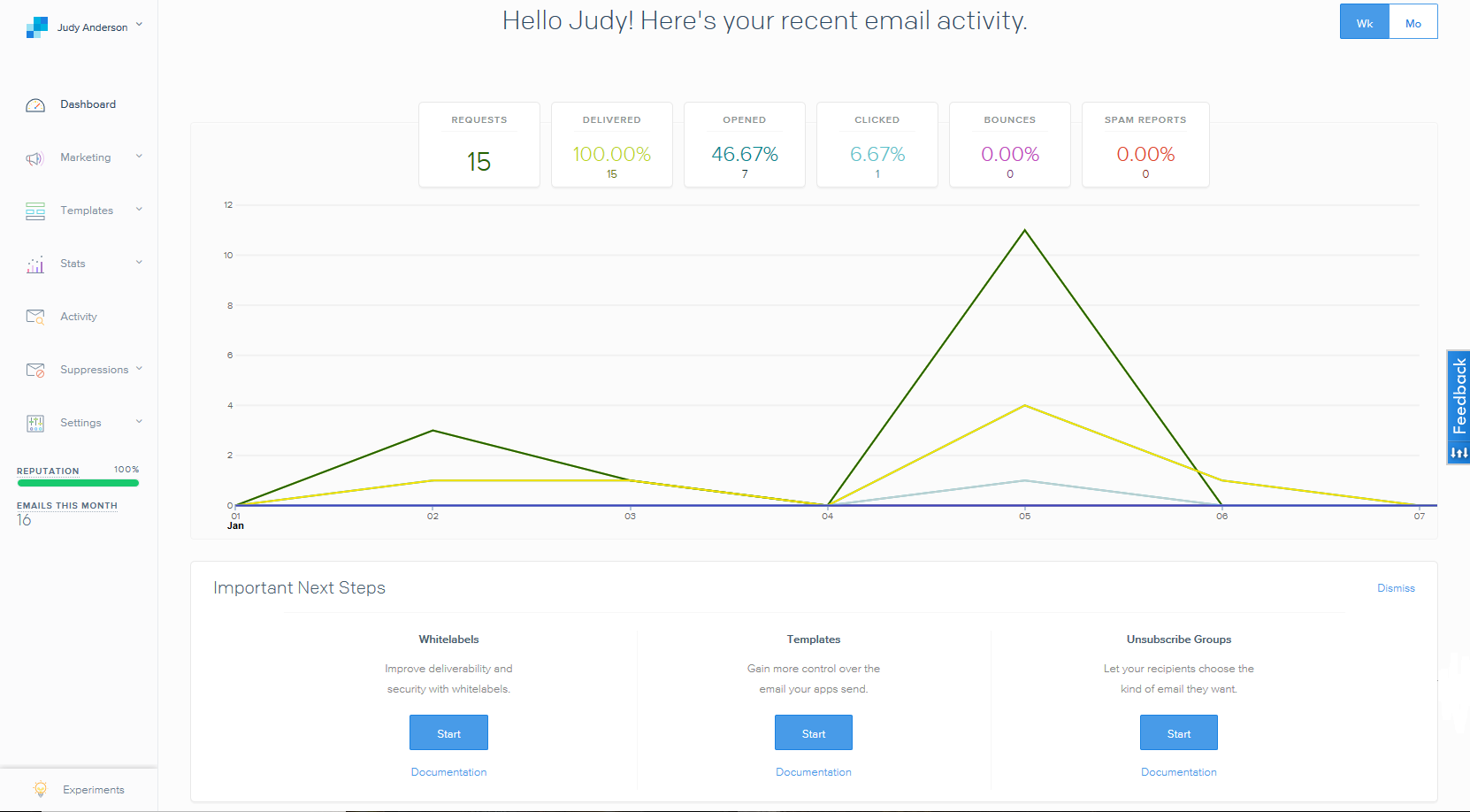
This section will display an overview of emails that have been within the last week or month.
Marketing #
We do NOT recommend using Marketing Campaigns with the SendGrid portal as they cannot be viewed or tracked within Stratus. To send bulk emails within Stratus, check out the Communication Wizard! Emails sent using StudioPlus Mail from the Communication Wizard will still be visible in Stratus and can also be tracked from the SendGrid Portal.
Templates #
Use this section to create HTML emails that can be used within Stratus. Simply export the HTML code from SendGrid and import it into the HTML Email Builder.
See also: HTML Email Builder
Stats #
Use this section to get a more detailed view of the Dashboard. This section contains statistics on your Email Categories used within Stratus. See also: Email Categories
Activity #
This section displays your activity feed. This includes a list of emails that have been Delivered, Processed, Opened, etc.
Did you know this information is available in Stratus as well? See Managing StudioPlus Mail for more information.
Suppressions #
Use this section to view a list of all client’s emails that are unsubscribed, bounced, and/or have reported Spam.
Settings #
Use this section to view and modify your account details within SendGrid.
Reputation #
Your SendGrid Reputation reflects the last 30 days and is updated daily. It goes up for every delivered email and goes down for every bounce or spam report. It does not represent your inboxing percentage at mailbox providers.
Maintaining a good reputation score is very important! Your reputation score is based on a calculation of:
- The percentage of requests (emails) that are able to be delivered. This takes into account bounces, invalid emails, unsubscribes, etc.
- Also, having recipients report your email as spam (Spam Reports) has a strong negative impact on your reputation.
We regularly monitor our customers’ account reputation for abuse and undesirable sending practices. Our general guidelines for account reputation include the following reputation thresholds:
- Reputation above 80% – Congratulations, you have a good sending reputation and there are no issues at this time.
- Reputation between 70% and 80% – This is considered a poor reputation and actions should be taken immediately to identify and fix problems with your sending practices.
- Reputation below 70% – Accounts with reputations below 70% may be subject to immediate suspension or termination.