
#
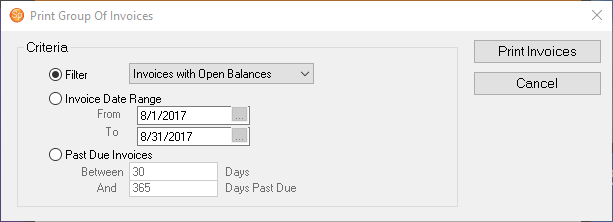
The Print Group of Invoices feature allows you to print a group of invoices for a predefined filter, an invoice date range, or a past due invoice date range. It will actually print each complete invoice that fits the criteria. The Print Group of Invoices is great if you need to send a reminder to clients that have a past due balance.
Printing a Group of Invoices #
-
Go to Reports > Print Group of Invoices.
-
Select the criteria. You can select a group of invoices based on a predefined filter, an invoice date range, or the number of days an invoice is past due.
-
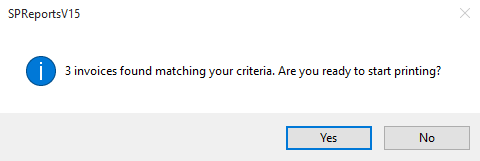
When you click Print Invoices, you will be prompted with a confirmation showing how many invoices will be printed.
-
Click Yes to continue with the printing.