|
NOTE: This feature is available in the Professional and Enterprise versions of Stratus Desktop. |
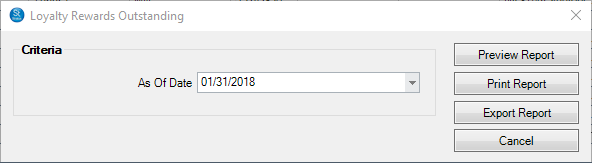
Use the Loyalty Rewards OutstandingReport to track any loyalty rewards outstanding as of a specified date.
-
Go to Reports > Loyalty Rewards Reports> Loyalty Rewards Outstanding.
-
Select the As of Date criteria.
-
Select the desired location(s) for the report (Enterprise Only).
-
All Loyalty Rewards outstanding as of that date will appear on the report, along with Code, Client Name, Date Issued, Amount Issued, Redeemed total, Outstanding total, and Expiration Date.