#
  |
NOTE: This feature is available in the Professional and Enterprise versions of Stratus Desktop. |
NOTE: If you’re using TSYS gift cards, this report is available through TSYS. See also: TSYS Gift Cards
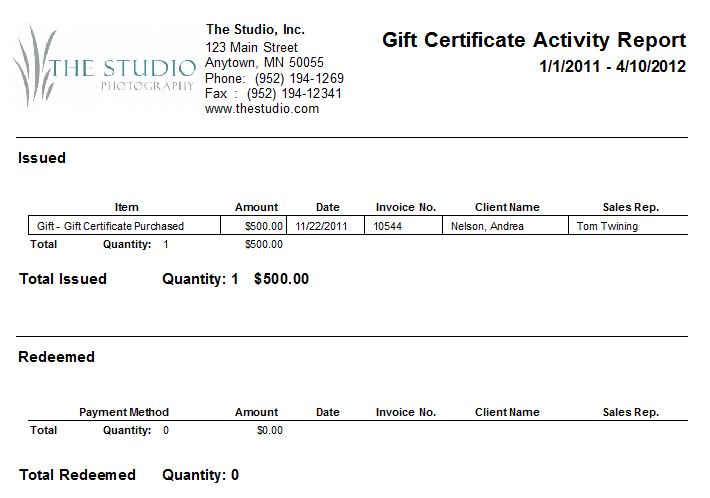
The Gift Certificate Activity Report shows what gift certificates have been issued and redeemed during a specified time period. Use the Subscribe button to receive automated email delivery of this report on scheduled days or date. See also Saved Reports and Subscriptions
-
Go to Reports > Gift Certificate > Gift Certificate Activity.
-
Select the To and From date criteria.
-
All gift certificates issued and redeemed during that date range will appear on the report, along with date, invoice number, client name, sale rep, total quantity, and total amount.