
#
  |
NOTE: This feature is available in the Professional and Enterprise versions of Stratus Desktop. |
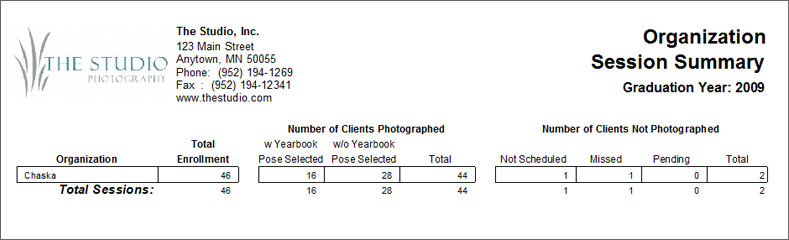
Designed for high schools, this report produces a session summary for one or more organizations. The report is based on a session date range or a specific graduation year. The report includes total enrollment, how many sessions have been completed, whether or not a yearbook pose has been selected for completed sessions, and how many session have not been completed and why.
Running an Organization Session Summary #
-
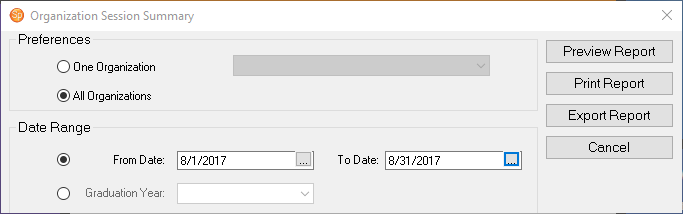
Go to Reports > Organization Reports > Organization Session Summary.
-
Select either One Organization or All Organizations.
-
Select the Date Range for the sessions or the Graduation Year.
-
Then click Preview Report to see a preview.
-
You can Print the report or Export it.