
#
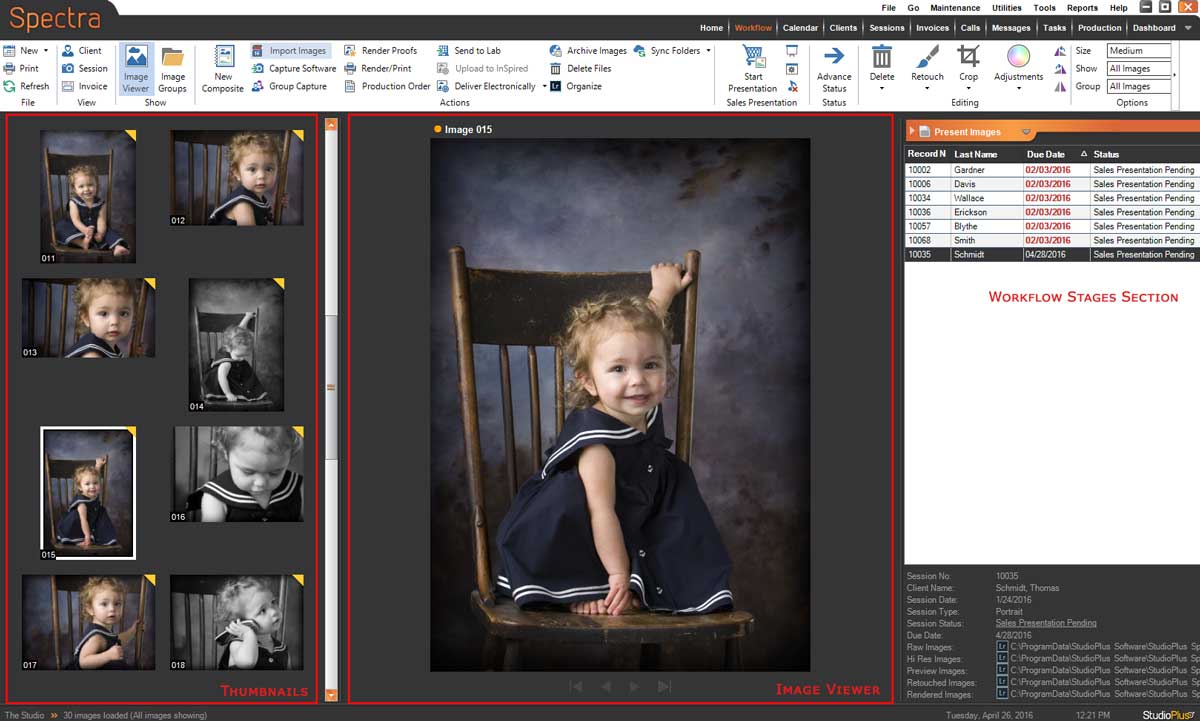
The purpose of the Workflow hub is to help you streamline your digital workflow. The Workflow hubdisplays the sessions and production orders currently at one of the digital workflow stages (based on their “status”). See also: Setting up Digital Workflow, Session Statuses, and Production Statuses
View the jobs currently at each stage in the Workflow Stages section. The list includes session/production number, due date, client name, and status. The Workflow Stages section can be unpinned and hidden to the right of your screen by clicking the little arrow in front of the workflow stage label. When you move your cursor away from the list to the left, the list will slide into the right side of the screen. To get it back, move your cursor to the far right edge of the screen and it will slide back out. To pin it to stay in place again, just click on the small arrow again to make it face the other way.
Sorting the Workflow Hub #
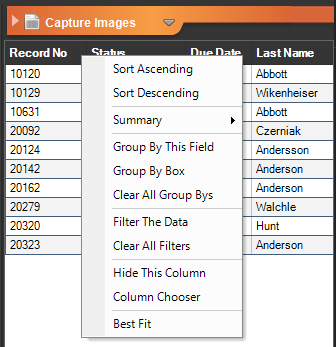
The list of sessions and orders can be customized with the following tools:
- Column Chooser
- Sorting
- Summaries
- Group By’s
- Filtering
#
Simply right-click on a column heading to show the menu.
Searching the Workflow Hub #
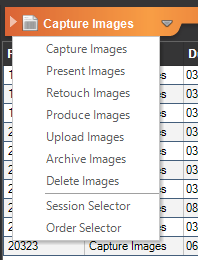
The record selector feature helps you quickly find and select the records you are looking for. Click the down arrow link to display the following menu. Then select either Session Selector or Order Selector.
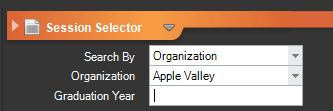
You will see many of the same selection options you have on the Session and Production hubs. Here’s an example:
For more information on using the digital workflow features in Stratus Desktop, see the Workflow How To’s