
  | NOTE: This feature is available in the Professional and Enterprise versions of Stratus Desktop. Spectra does not include this feature. |
Creating Web Form Statuses #
*Please note: Because we are continually updating our library of training videos as new versions of our software are released, this video will likely show an older or newer version of StudioPlus Stratus than you have installed. Don’t worry! The video will still give you a great overview of this feature.
-
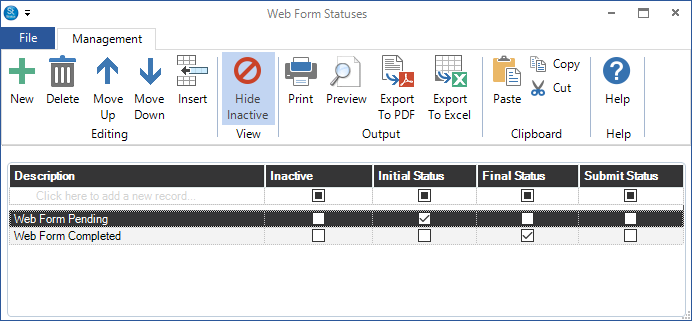
Go to Maintenance > Web Forms > Web Form Statuses.
-
Click New on the ribbon to add a new status. (Or simply start typing in the first line of the grid.)
-
Check the appropriate box depending on whether the status is the Initial Status, Final Status, or Submit Status.
-
Use the tools on the ribbon to change the order of the list.
-
Close the list when finished.