
The following options are found on the Maintenance > Invoice menu:
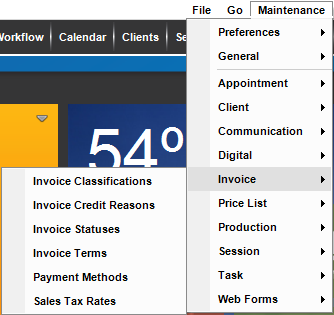
Use these lists to customize how you work with invoices and payments in Stratus Desktop:
| Menu Item | Description |
| Invoice Classifications |
Classifications provide an optional way for you to track invoices in a way that suits your studio. See also: Invoice Classifications |
| Invoice Credit Reasons |
Set up reasons for why an item is being credited. See also Invoice Credit Reasons |
| Invoice Statuses | Create your own custom invoice statuses and then use them to track your order workflow. See also: Invoice Statuses |
| Invoice Terms | Invoice terms appear at the bottom of invoices and session confirmations. See also: Invoice Terms |
| Payment Methods |
Customize the types of payments your business receives. See also: Payment Methods |