
   |
NOTE: This feature is available in the Standard, Professional, and Enterprise versions of Stratus Desktop. |
Use the Composite Template Sales Report to see how many of each composite template have been sold. See also: Using Composite Templates
Running A Composite Template Sales Report #
1. Go to Reports > Analysis Reports > Composite Template Sales Report.
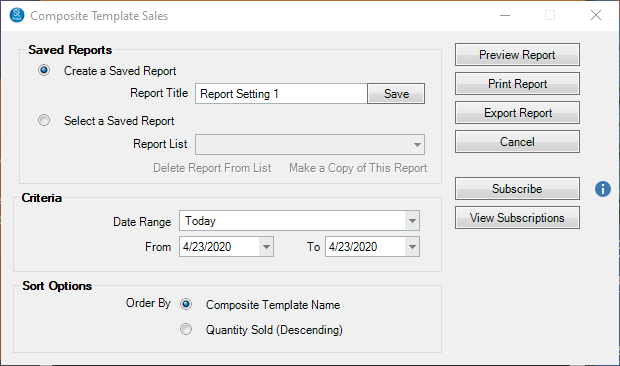
2. Select the Date Range for the report.
3. Choose how to have the report sorted, by Composite Template Name or Quantity Sold.
4. Click Preview to see the report before you print it.
5. You can then print the report or export it to another file format. Use the Subscribe button to receive automated email delivery of this report on scheduled days or date. See also Saved Reports and Subscriptions