
 Q: How do I export a list of names and email addresses? #
A: Filter your data to find the clients that have email addresses and then export the names and email addresses.
Instructions #
Here’s how to export a list of just names and email addresses:
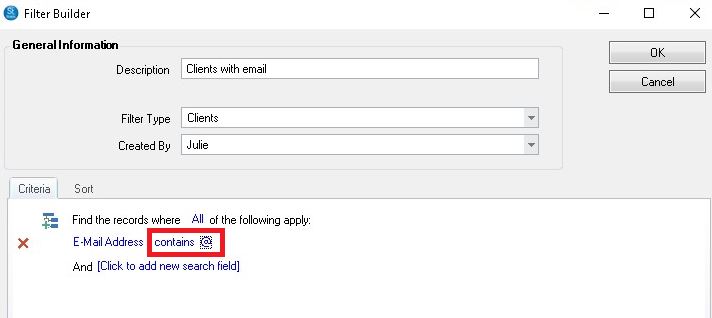
1. Create and apply a filter to the Clients hub using the Filter the Data tool on the ribbon.
If you have thousands of records and want to select multiple criteria, it will be faster to pre-build a filter using the Filter Builder and then apply it to the Clients hub using the Search By tool on the ribbon. See also: Using the Filter Builder
NOTE: The Filter Builder is not available in the Express version of Stratus.
2. Use the Column Chooser button (or right-click the column header for hide/show options) to display just the columns you want to export. To email clients from another program, like MailChimp, be sure that the clients email address and first name in included.
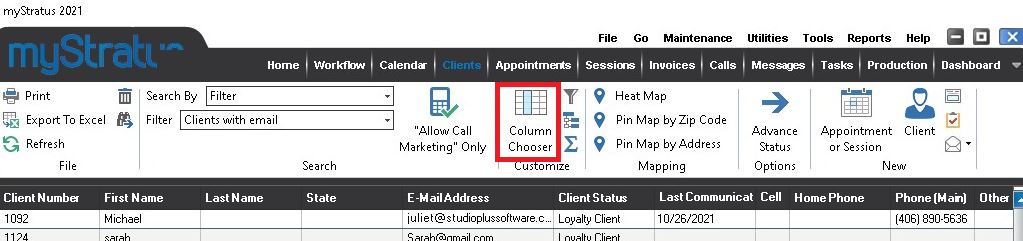
3. Once you’ve selected the columns you need, click Export to Excel.
