
#
 #
#
Appointment Options #
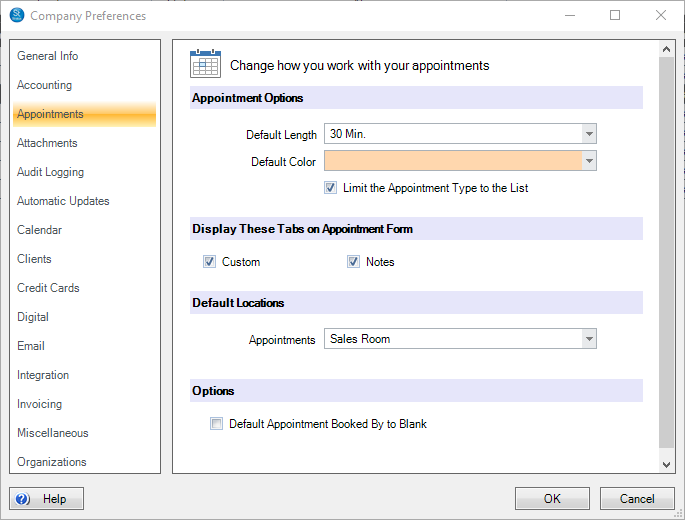
You may select the Default Length of the appointment and the Default Color for the calendar. When a new appointment is created, users are permitted to type in their own appointment type(s). Here you have the option to Limit the Appointment Type to the List of types that have been created in Maintenance > Appointment > Appointment Types.
Display These Tabs on the Appointment Form #
You may choose to hide the Custom and/or Notes tabs on the appointment form. Uncheck the box(es) to hide the tab.
Default Location #
You may select a default location for new appointments. The location can be overridden at the time an appointment is scheduled.
Options #
You may choose to start with a blank “Booked By” field when new appointments are created. When Data Entry Validation is turned on for this field, the user will be required to select the appropriate booker before saving the appointment. Refer to Data Entry Validation for additional information about this feature.