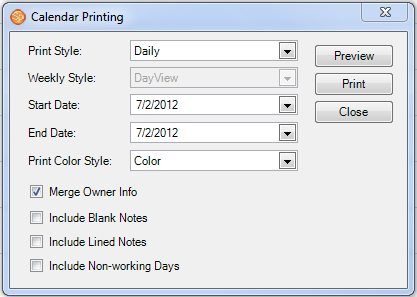
The software makes it easy to print your calendar for specific days, times, users, or resources.
-
Click Print on the toolbar.
-
Select the style(s) from the drop-down list(s).
-
Choose the start and end dates you want to print.
-
If you want to print the calendar information for all users on one calendar, click Merge Owner Info. Otherwise, the printed schedule will contain a column for each displayed user. The printout will include any users or resources that you currently have selected to display on the calendar.
Experiment with the different styles to get the desired output. You can always preview it first to see if it will turn out as you like.