
Follow these steps to hide one or more of the detail tabs on the client record:
-
Go to Maintenance > Preferences > Company (Studio) Preferences and open the Clients page.
-
In the first section, uncheck any of the tabs that you don’t want displayed.
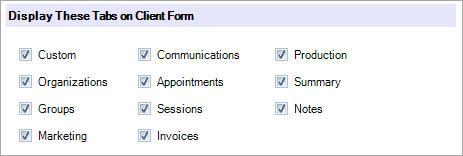
-
Click OK to save your preferences.