
#
Task Types are use to distinguish between various categories (or types) of tasks. Using task types helps you sort and filter your tasks, as well as allowing you to track the progress (or status) of your tasks based on type.
Setting up Task Types #
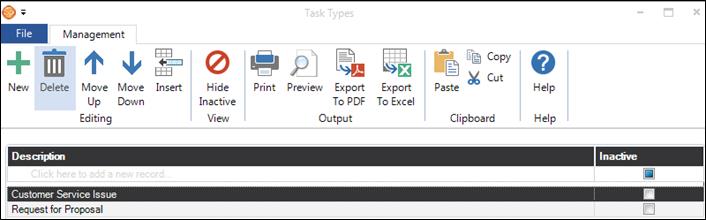
Go to Maintenance > Task > Task Types. Use the tools on the ribbon to add or delete a task type, rearrange the order of the types, and print or export the task types list.
.
-
Description – Enter the name of the task type you are creating.
-
Inactive – Mark a type as “inactive” if you no longer use it, but have used it in the past.
#
Task Type Triggers #
  |
NOTE: This feature is available in the Professional and Enterprise versions of Stratus Desktop. |
For each task type you can also set up various triggers to automatically send emails and SMS text messages, print letters, generate phone calls, or create additional tasks based on the task start date, due date, or complete date. See also: Triggers