
Follow these steps to add family members to a client:
-
Open the client record.
-
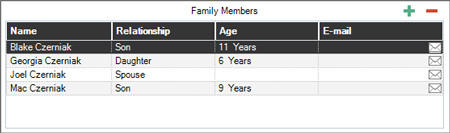
Go to the General Tab, and click the Plus (“+”) button above the grid on the right-hand side to add a family member.
-
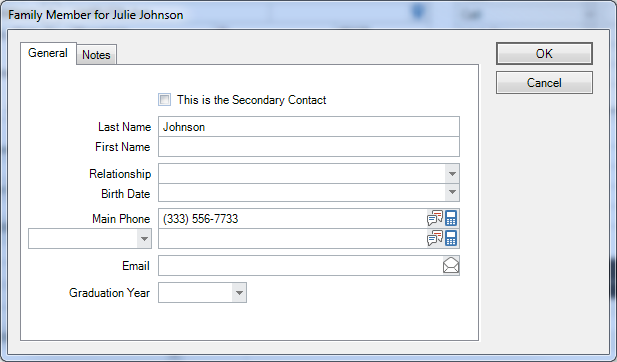
Fill in the information for the family member.
-
Click OK to save the family member information.
-
Use the Minus (“-“) button to delete a family member. Or, double-click an existing family member to modify their information.
See Family Member Relationships to customize the options available in the Relationship drop-down list.
See Company Preferences – Client to set which ages display on the General tab of the client record.
See also: Finding a Family Member