
There are a few new methods to process shipping fees for your customers, both Online and In-House. For InspiredByYou we recommend that you use the Simple method.
None: Select None if you don’t want to charge your clients shipping.
Simple Shipping (recommended): Similar to standard retailers, this method has the client determine their own shipping rate based on speed of delivery. For example, Standard Shipping = $10 and Expedited Shipping = $15.
Go to Maintenance > Preferences > InspiredByYou.com Preferences > Shipping
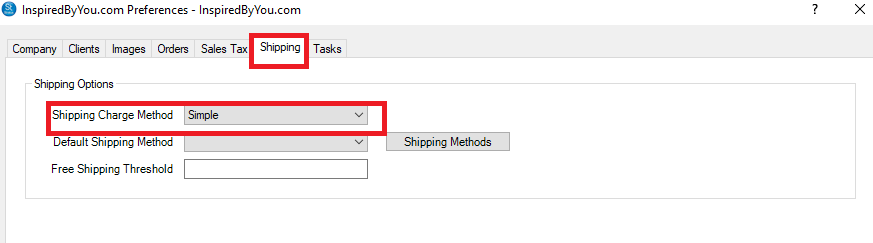
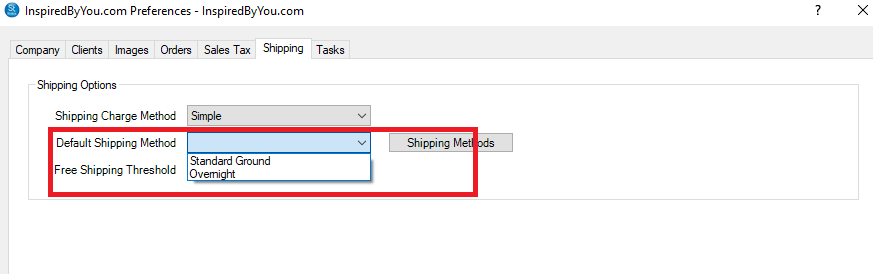
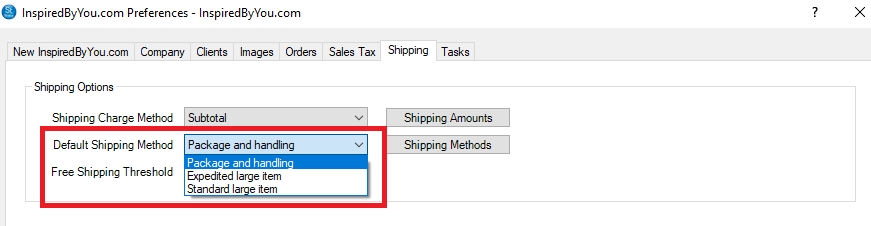
Select a Default Shipping Method – this is what clients will see as the shipping method, but it can be changed by the client while placing an order. You can update your Shipping Methods by clicking the Shipping Methods button.
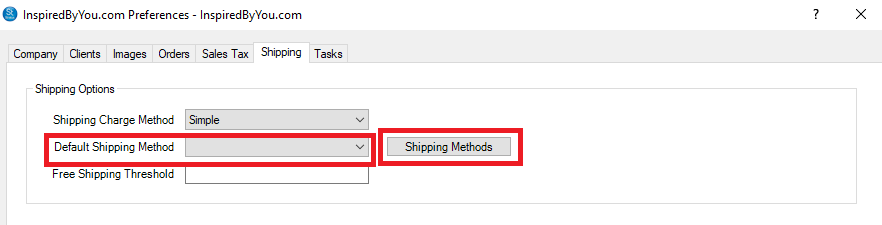
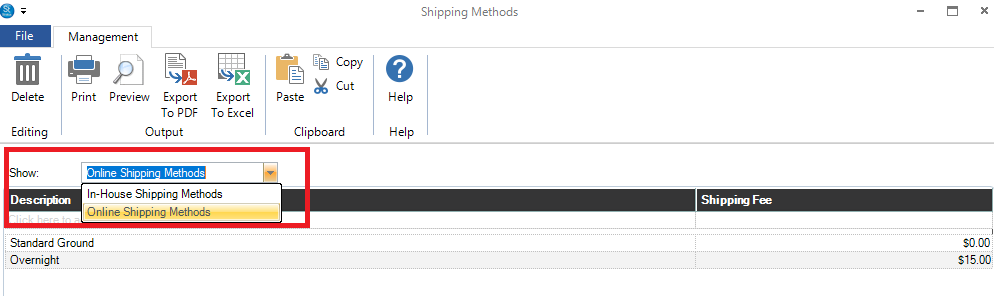
When you click on the Shipping Methods button, switch to the Online Shipping Methods from the drop down menu.
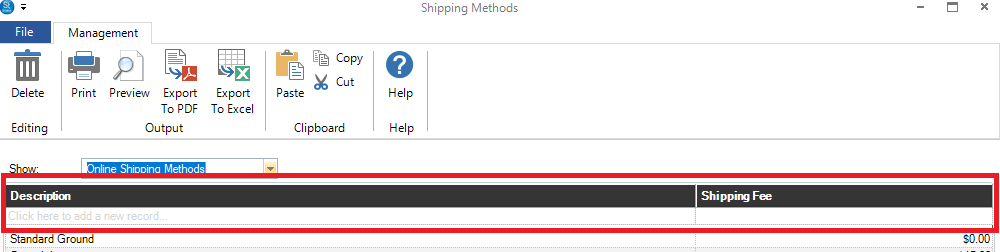
Enter the Shipping Method and the Fee in the top line that says “Click here to add a new record”.
Once you have your Online Shipping Methods setup, close the Shipping Methods window, and select your Default Shipping Method.
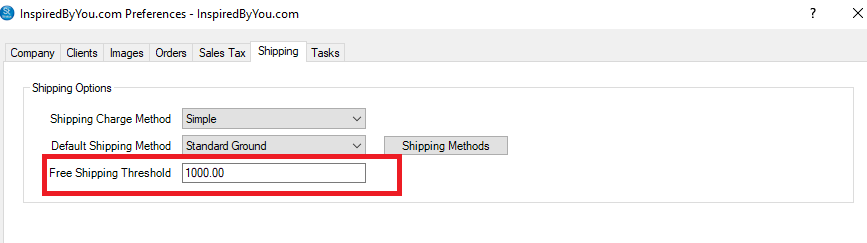
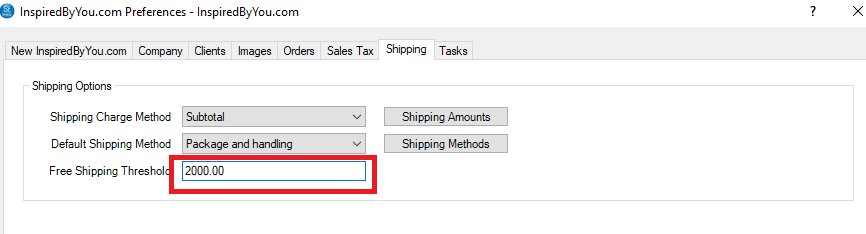
If you have a Free Shipping Threshold, add the amount a client needs to order to get Free Shipping.
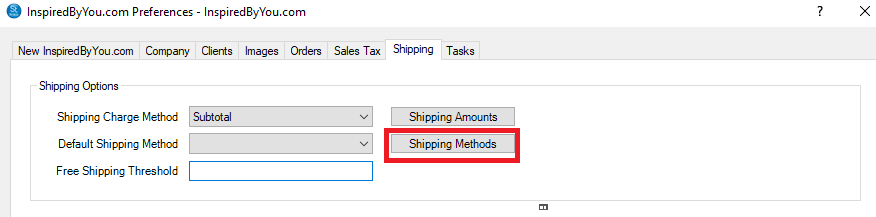
After selecting to use the Subtotal shipping method in the InspiredByYou.com Preferences, click the Shipping Methods button next to Default Shipping Method.
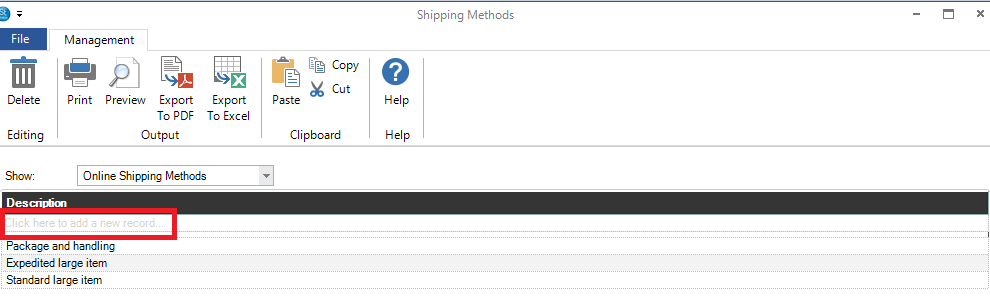
On the Shipping Methods screen, switch the drop-down menu to Show Online Shipping Methods.
Enter in the different shipping speeds you’d like to offer (such as Standard Ground, Expedited, Overnight, etc.) in the top line that says “Click here to add a new record”.
Close the Shipping Methods window when done, bringing you back to the InspiredByYou.com Preferences screen and select the Default Shipping Method you wish to use.
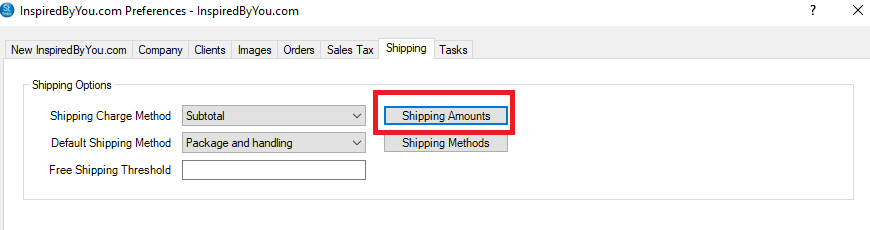
Now click the button Shipping Amounts.
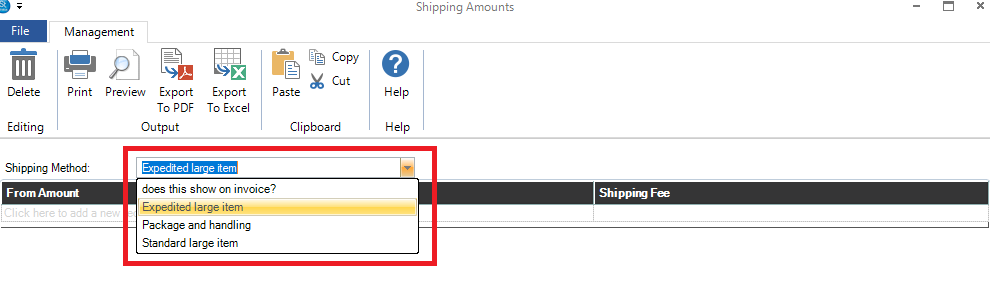
From the drop down Shipping Methods, select a Shipping Method
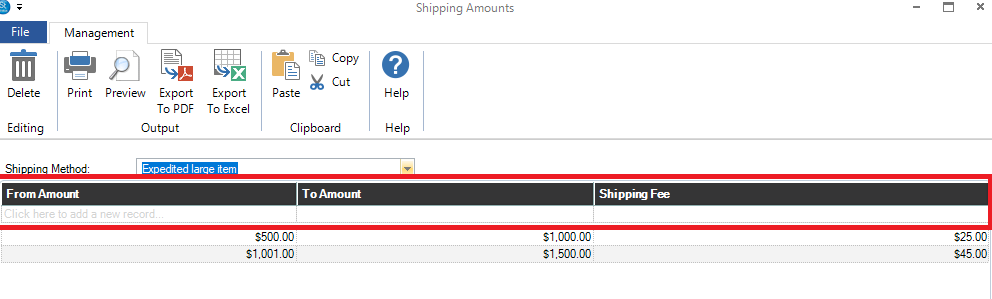
Now add the shipping fees based on the invoice subtotals. Add a From Amount, To Amount, and the Shipping Fee in the line that says “Click here to add a new record“. You can add as many amounts as you like.
Once you have set all the fees for all the Shipping Methods, close the window which brings you back to the InspiredByYou.com Preferences. If you have a Free Shipping Threshold, add it now. Any invoice whose Subtotal is equal to or greater than that amount will get Free Shipping.
When you click on the Shipping Methods button, switch to the Online Shipping Methods from the drop down menu.
Very few clients will want, or need, to use this Shipping Method. The setup is much more advanced. What this method does is it takes each line item’s Product Shipping Tier, finds the highest shipping fee, and applies that to the order. This feature is disabled but if you want to use it, just email Support@StudioPlusSoftware.com and ask them to enable Product Tier Shipping. Once they’ve emailed back that it is set up, follow the instructions here.