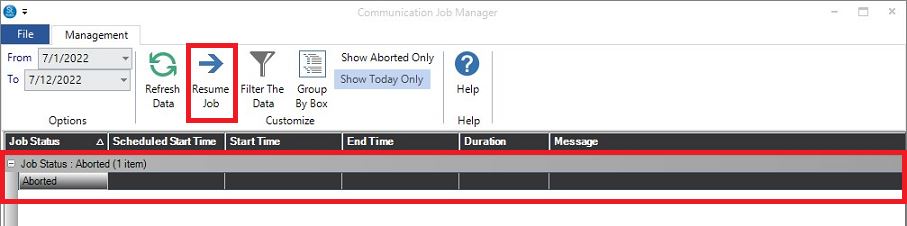
We’ve added the ability to see any “jobs” set up to be processed by the Communication Wizard giving you the flexibility to see Completed, Pending, In-Progress, or Aborted Jobs. This lets you Cancel Pending Jobs that have been scheduled for future times and dates, or Jobs that are In-Progress, and allows you to resume them if you wish!
Go to Utilities > Communication Job Manager
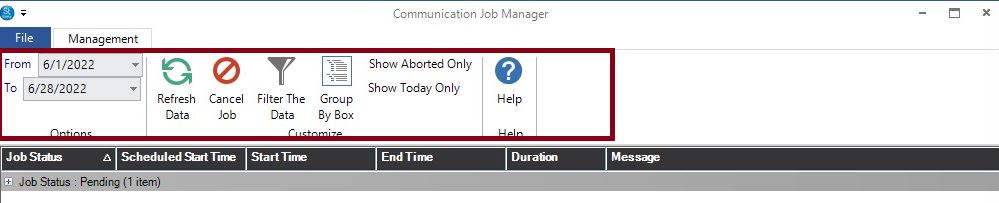
Change the date range to see the dates you wish to view.
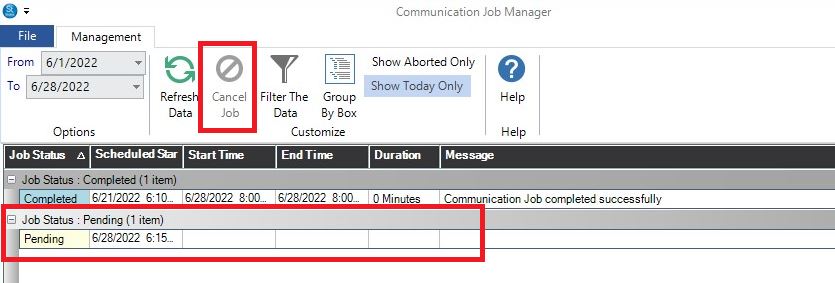
To Cancel a Communication Wizard Job, highlight it while it’s still pending and click Cancel Job in the ribbon.
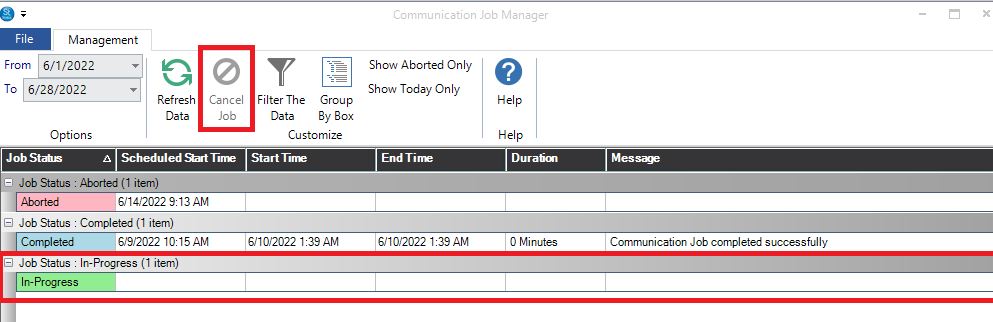
If the Communication Wizard Job has the Job Status of In-Progress, you can stop it by highlighting it, click Cancel, wait a few seconds, and click Refresh. The job will now show the status of Aborted.
If you wish to restart the job, highlight the Aborted Job and click the Resume Job icon.