
 Q: How do I track a sports team? #
A: Sports teams can easily be tracked by creating a client to represent the team.
Instructions #
- Create a client for the sports team. Use the Company Name field for the team’s name. Use the First and Last Name fields to track your main contact for the team.
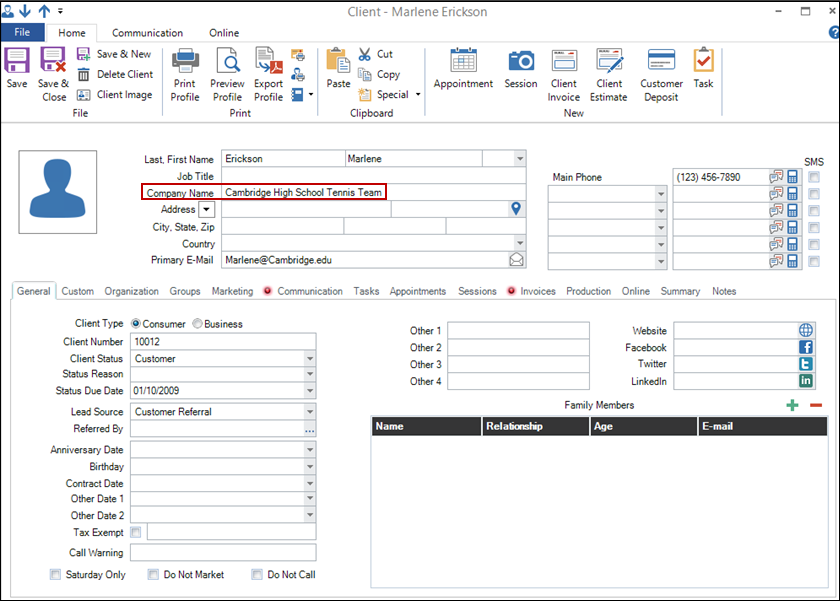
- Optional – Create an Organization for the high school and add the client to that organization. This will allow you to pull a report of all sports teams for that school (i.e., “All Sales for Cambridge High School”).
-
Book all sessions on the team’s client record. See also: Scheduling a Session
-
After a shoot, import images into the team’s session record. See also: Stage 1 – Capturing Images
-
If possible, import an Excel file of all the students’ names as new client records. If not possible, manually enter all new students (or parents) as client records. See also: Creating a Client or Importing Clients
-
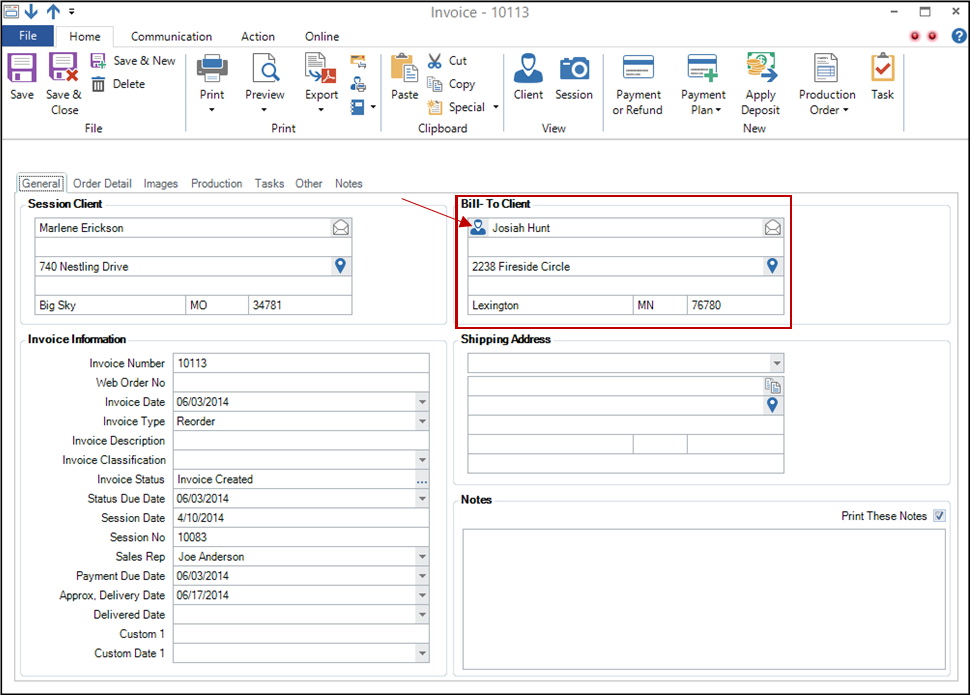
Create an invoice for each parent’s order FROM THE SESSION RECORD. The parent will be the Bill-To Client. Remember the session record is still technically under the sports team’s client record. See also: Creating a Session Invoice
Benefits #
Track Sales for Each Team #
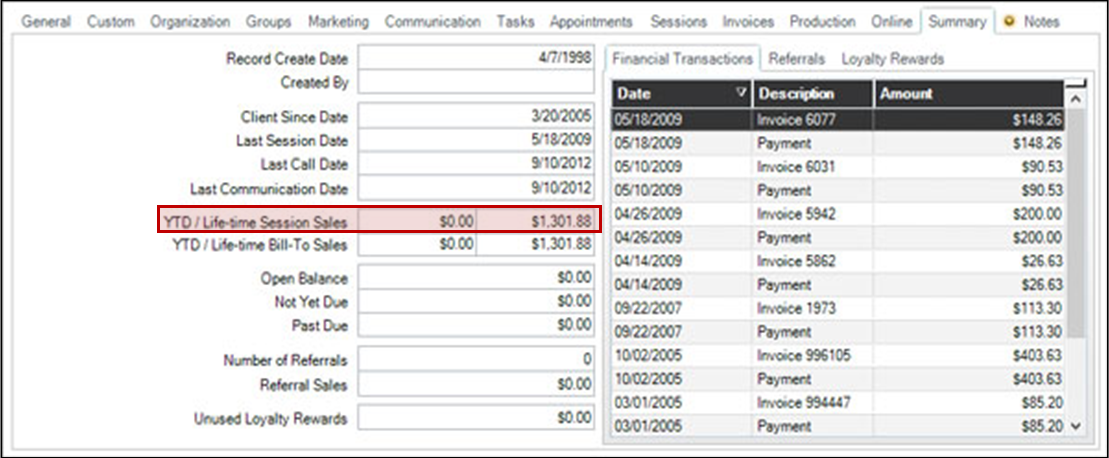
- Check the Summary tab of team’s client record.
Track Sales for Each Parent #
- Check the Summary tab of parent’s client record.
Track Sales for all Teams from a School #
- Run a Sales Report grouped by Organization.
Track Invoices for the Each Parent and for the Entire Team #
- Check the Invoices tab of either the team’s client record or the parent’s client record.
Images are Consolidated #
- Check the Images tab of team’s session record. Makes for easy importing and easy ordering.