
System Out of memory or System Time Outs when working with Digital Workflow or working with images
When working with preview images, the size of the previews you’re working with can cause this error. This is due to the preview image pixel count being larger than the available RAM and not the file size. For example a file can have a small file size(300-500 kb), but a very large pixel count(3000×4000).
To help prevent this when importing images you’ll want to select the option to resize images. This can be found under the preview tab of import images. We recommend a maximum pixel count of 1000.
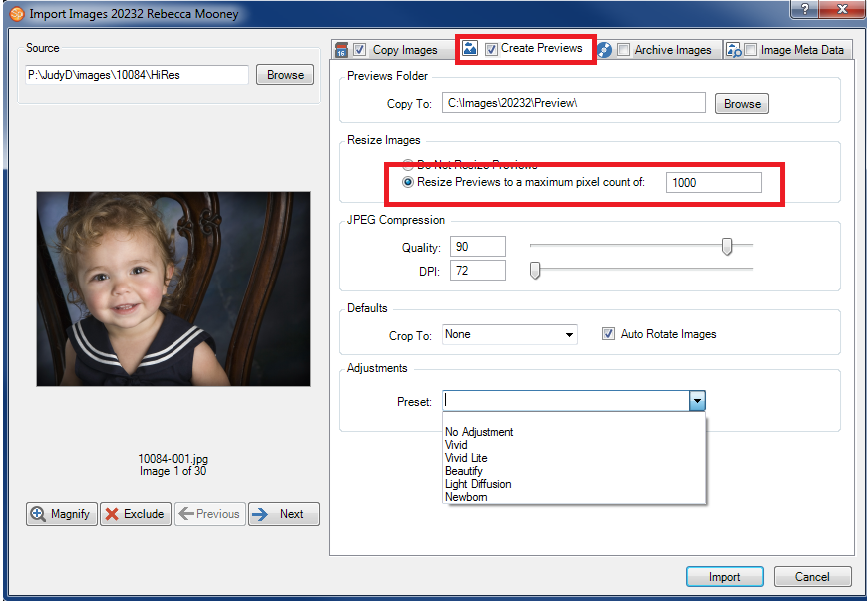
For more information on setting the Maximum Pixel Size, follow this link.