
  |
NOTE: This feature is available in the Professional and Enterprise versions of Stratus Desktop. Spectra does not include this feature. |
To create web forms for multiple clients at a time, use the bulk creation tool found at Maintenance > Web Forms > Bulk Create Web Forms.
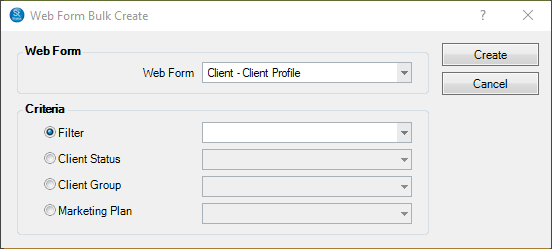
- Select which Web Form you will be creating in bulk.
- Based on the selected web form, choose which clients/sessions should the form should be built for. The options for this are a Filter, Client Status, Session Status, Client Group, or Marketing Plan. The options available will vary depending on the type of web form selected – Client or Session based.
- Press Create to create the web form on respective client/session records.
This process will create a web form for all clients/sessions found using the Criteria section. If a client or session record already contains the web form being created, the client record will be skipped and the web form will not be duplicated.