
Documentation

Composite Template Quick Picks

#

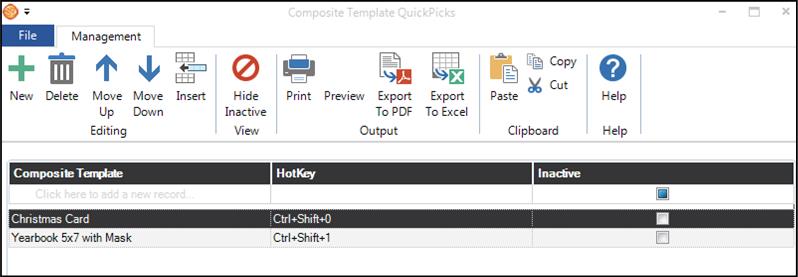
Composite Template Quick Picks in Stratus - screenshot 1 Composite Template Quick Picks in Stratus - screenshot 2 Composite Template Quick Picks in Stratus - screenshot 3 NOTE: This feature is available in the Essential, Professional, and Enterprise versions of Stratus Desktop.

Use quick picks in the digital workflow to quickly take a single image and drop it into a composite template. Multiple images may also be selected and a composite template will be created for each image. Up to ten quick picks may be assigned to hot keys. See also: Composite Templates and Sales Presentation
Composite Template Quick Picks in Stratus - screenshot 4

Table of contents

Can't find what you need?

Email, chat, and phone support are included with every Stratus subscription. We’re here to help you build a successful business.