
When a Client record or a Session record is being opened, the software first looks for a Client Image or Main Session Image (click here for info). To do so, it must first try to access the location of images, if it can’t, it may take some time for the record to load.
There are two places this setting can be set:
The universal-to-all-computers in the studio uses Company Preferences.
The unique-to-this-computer uses Workstation Preferences.
If you use Company Preferences to store the path, all computers in your studio need to access the same location and in order to do so, it will use a mapped drive; if Stratus can’t access that location, there can be a delay of loading Clients or Sessions. Some mapped drives require users log in to them before they will open, either every time you restart your computer, or at some, apparently random (to humans) time. When this happens, the drive has “gone to sleep” and needs to be “woken up”.
To make sure Stratus can access those images, we’ll start with Company Preferences (Maintenance > Preferences > Company Preferences – Digital tab, Image Paths section)
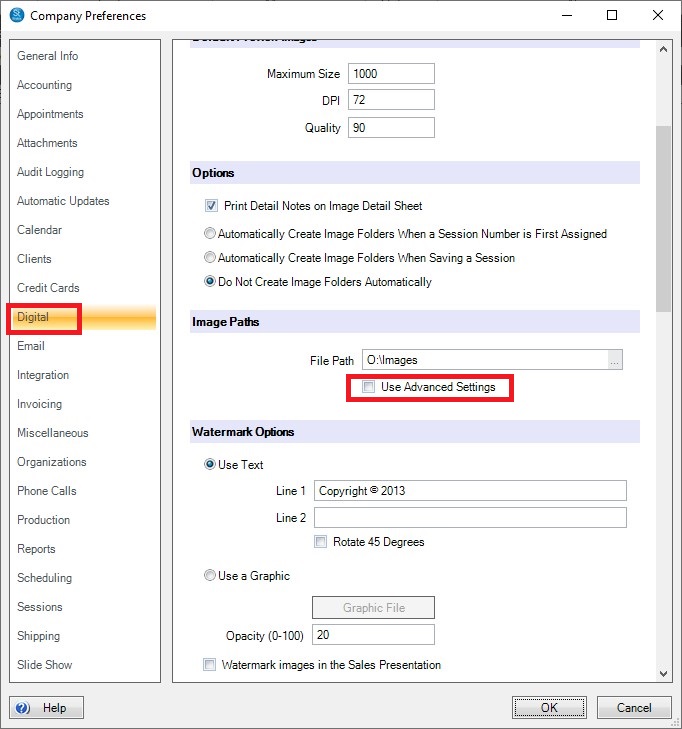
1. Flag the box “Use Advanced Settings”, this will expand the section to show you all the paths
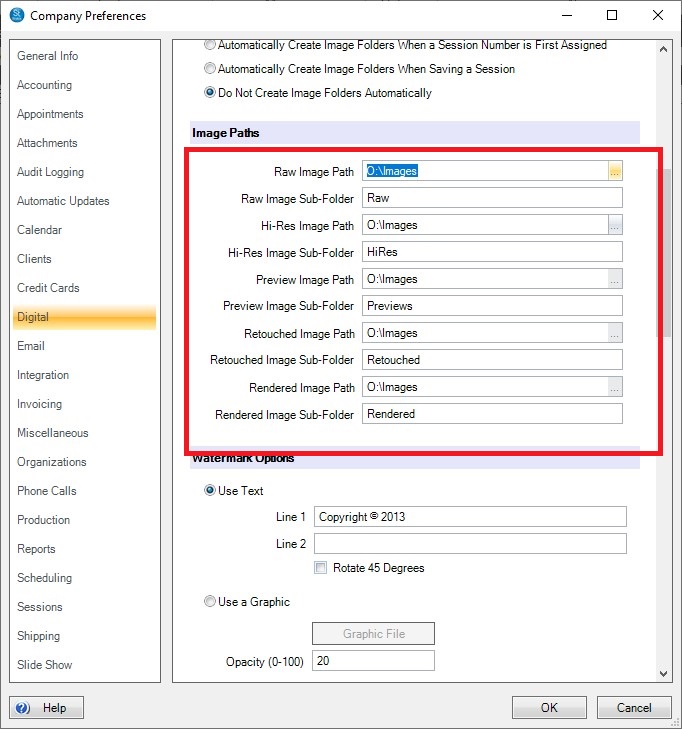
2. Visually note the path and open Windows Explorer
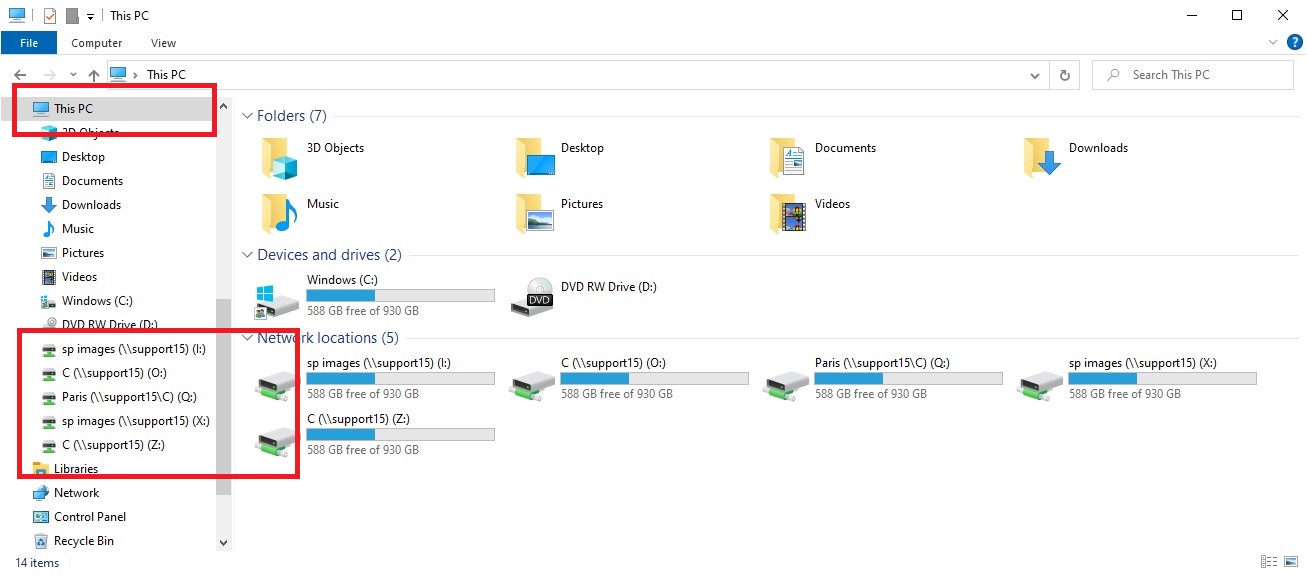
3. In Windows Explorer, expand This PC
4. Visually look for the path from step 2 above
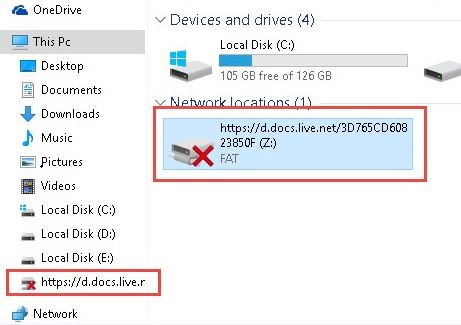
5. Note the red X, that means the drive is asleep and needs to woken up, double click on it to “wake it up”. Once it’s awake, it should open that drive and show folders
It’s a good idea to check Workstation Preferences (Maintenance > Preferences > Workstation Preferences – Digital tab
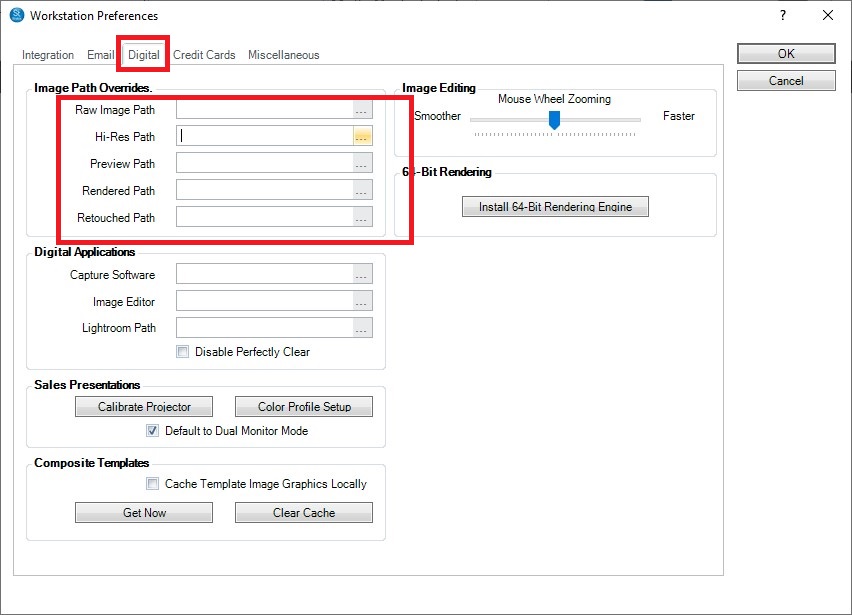
If any of the Image Path Overrides is set to a drive other than C:\ repeat the steps outlined for Company Preferences to make sure Stratus has access to the images.