
Let’s say the Online Portal Preferences are set up for Login Credentials of Client Email for Username and Client Last Name for Password, but you didn’t have the Client’s Email when the Session was uploaded. It’s so easy to update!
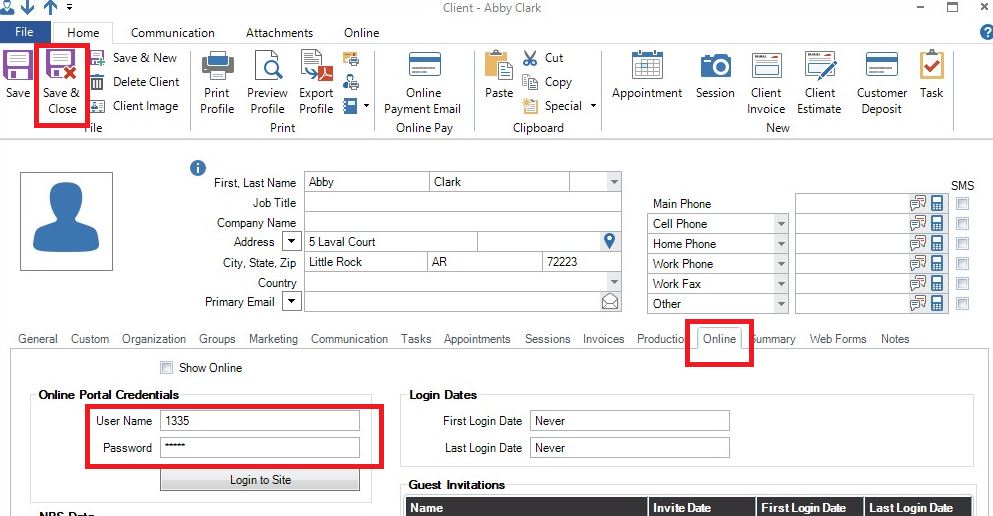
1. Open the Client record and click on the Online tab.
2. In the Online Portal Credentials area, type in the new User Name or the new Password.
3. Click Save and Close.
The new User Name or Password is now in effect!