|
NOTE: This feature is available in the Professional and Enterprise versions of Stratus Desktop. |
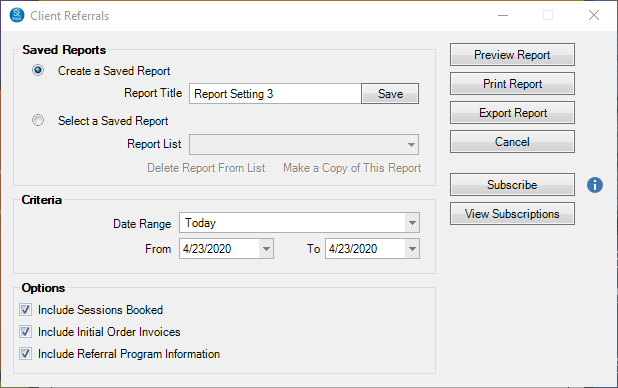
Use this report to show the number of client referrals received. As a breakdown, this report will cover who the referring client was and who was referred. This report can optionally show session and invoice information for the referred client as well as details from their referral program (i.e. which Loyalty Rewards and/or Promotional Items were issued to the clients). See Also: What is a Referral Program?
To run this report, go to Reports > Client Referral Report. Select which Date Range to run for the report and any additional information to be included. Uncheck the boxes in the Options section to exclude that information from the report. Use the Subscribe button to receive automated email delivery of this report on scheduled days or date. See also Saved Reports and Subscriptions