
   |
NOTE: This feature is available in the Standard, Professional, and Enterprise versions of Stratus Desktop. |
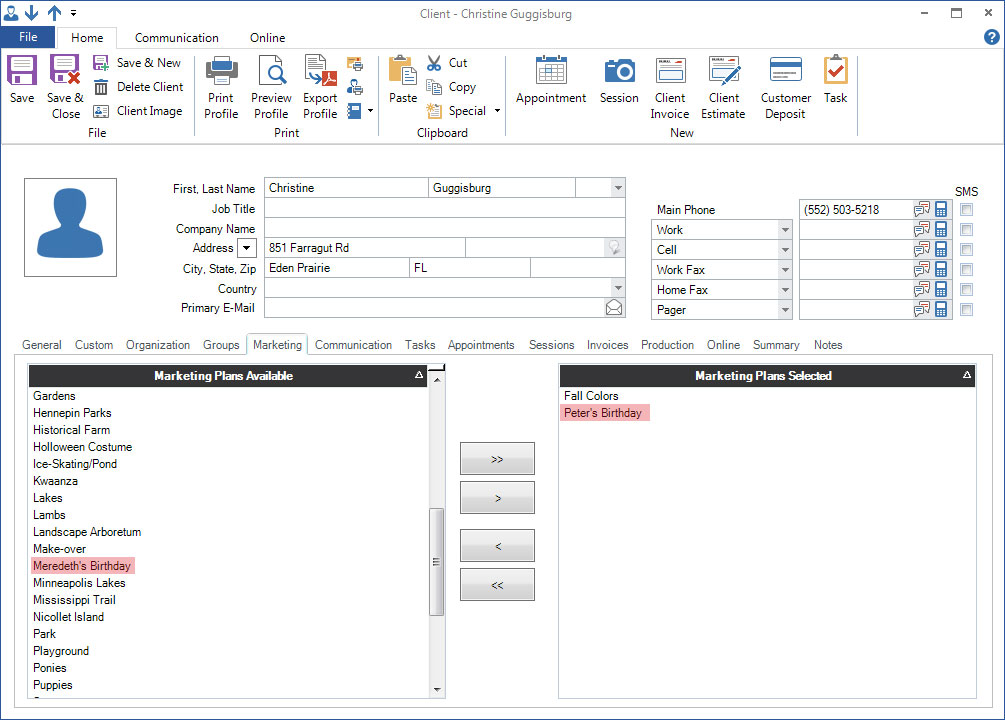
- Open a client and click the Marketing tab. This tab lists all available marketing plans in the left panel and all the plans the client belongs to in the right panel. Note: To set up your list of marketing plans, go to Maintenance > Client > Marketing Plans. See also: Marketing Plans
-
To add a marketing plan, simply highlight the plan on the left and click the right arrow “>” button to move it to the active list.
-
To remove a client from a marketing plan, just highlight the plan on the right and click the left arrow “<” to move it back to the inactive side.
-
Save the client record when finished.