
Each user can customize their home page to display information most critical to them. Click Customize Page to set your home page preferences.
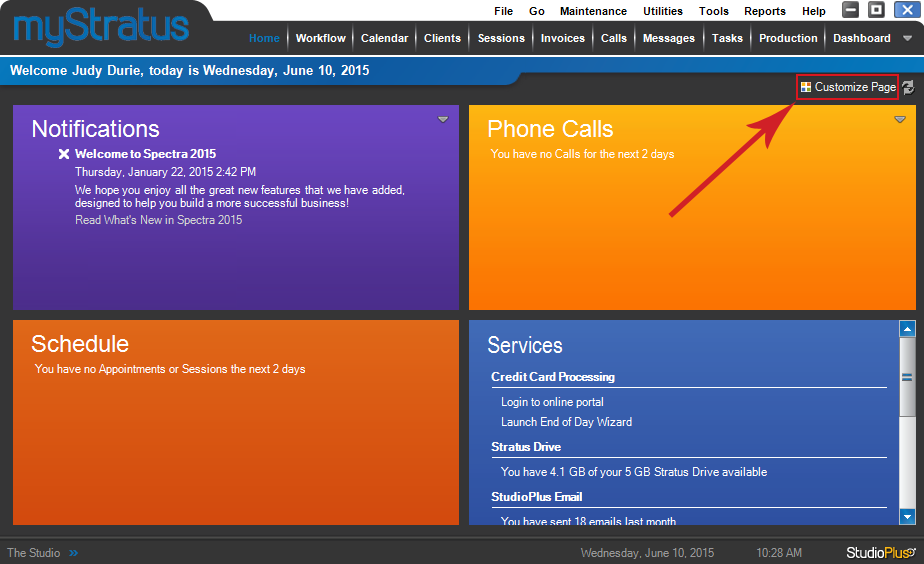
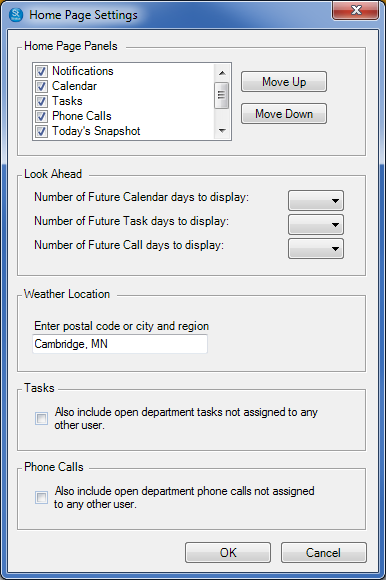
Use the Home Page Settings window to:
-
Turn individual panels off and on.
-
Rearrange the order of the panels.
-
Choose how many days of information are included.
-
Customize the weather location.
-
Choose to display department tasks and phone calls that haven’t been assigned to a specific user.
Remember, these settings will only apply to the logged in user’s home page!
Use the security settings in the software to make restrictions, limiting the information individual employees are allowed to view on their home page. For details, refer to Setting up Security and Setting up Users.
If you so not see the Services panel, please refer to this section, Customizing the Home Page.