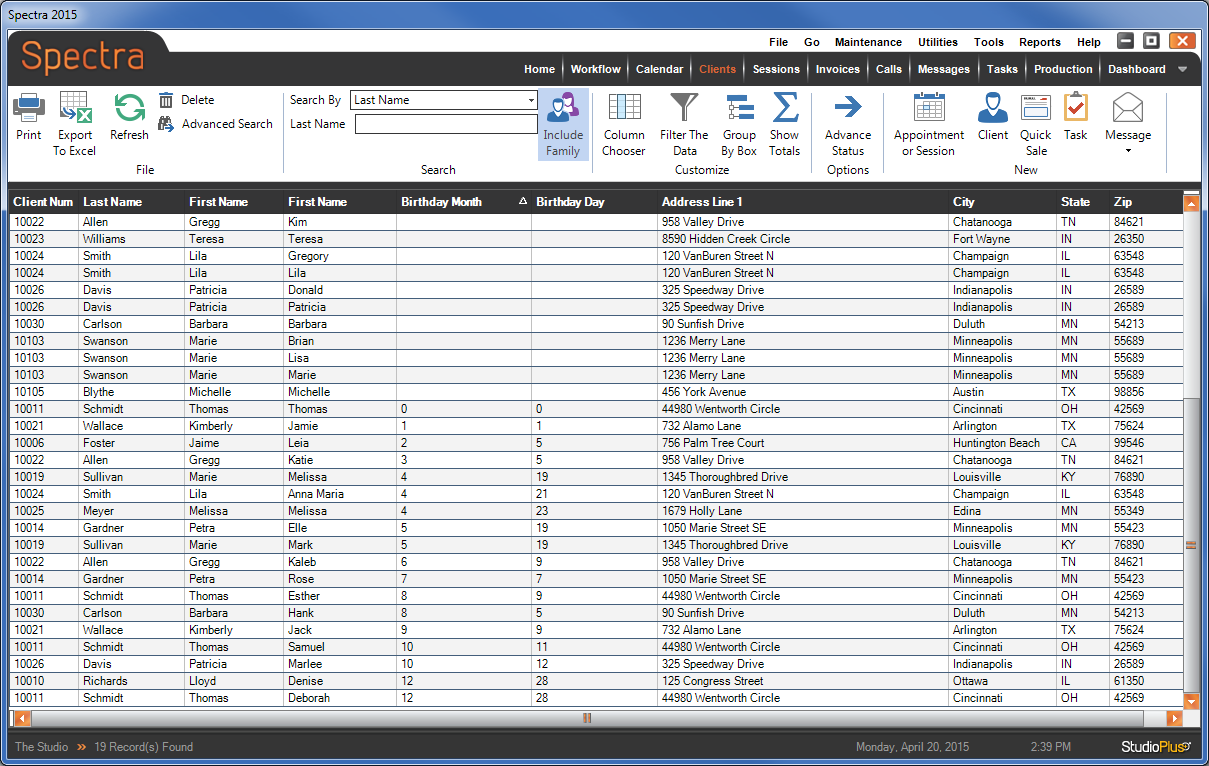
Family Members on the Clients Hub #
You can customize the Clients hub to display additional family member information for each client and include family members when using the Search tool.
-
Open the Clients hub.
-
Click Include Family Members on the ribbon.
-
Open the Column Chooser and check one or more family member fields (i.e., “Family Members – First Name” or “Family Members – Birthday”)
-
Use the Search tool and family members will be included in the results.
-
You can also rearrange the columns and sort as desired.
#
Example: Use the Clients hub to see birthdays by month #
-
Open the Clients hub and click Include Family Members on the ribbon.
-
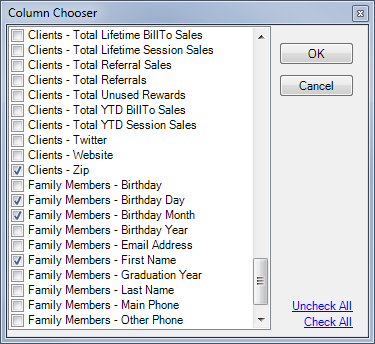
Click Column Chooser on the ribbon.
-
Check the following fields to include them on the hub:
- Family Members – First Name
- Family Members – Birthday Month
-
Family Members – Birthday Day
-
Drag columns to reposition them as needed.
-
Click the Birth Month column heading to sort by month.