
Follow these steps to set up a session reminder:
-
Open the session.
-
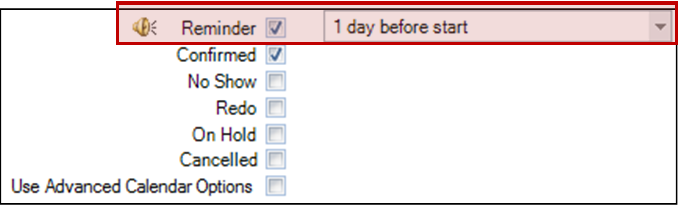
Check the Reminder box in the bottom-right section of the General tab.
-
From the drop-down list, choose when the reminder should occur – anywhere from 2 months before the session to the actual start time.
-
Click Save & Close.