
Resolving Conflicts #
   |
NOTE: This feature is available in the Standard, Professional, and Enterprise versions of Stratus Desktop. |
Follow these steps to resolve scheduling conflicts:
-
Go to Tools > Resolve Scheduling Conflicts.
-
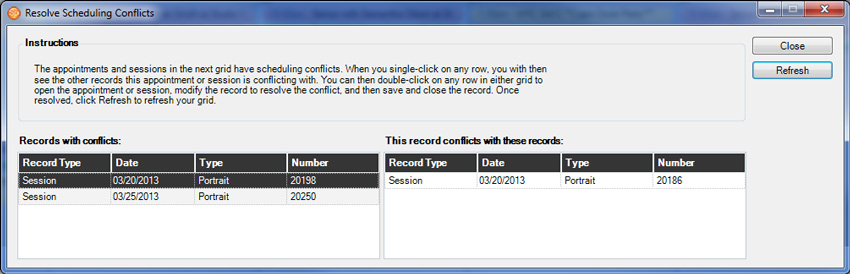
The left portion of the window lists sessions and appointment with conflicts. Click on one of them to see the conflict.
-
Double-click on any row in either grid to open a specific session or appointment
-
Modify the record to resolve the conflict.
-
Save and close the modified record.
-
Click Refresh to update the grid.
-
Click Close when finished.