
Follow these steps to quickly create a new client from a family member.
-
Open the “Parent” client.
-
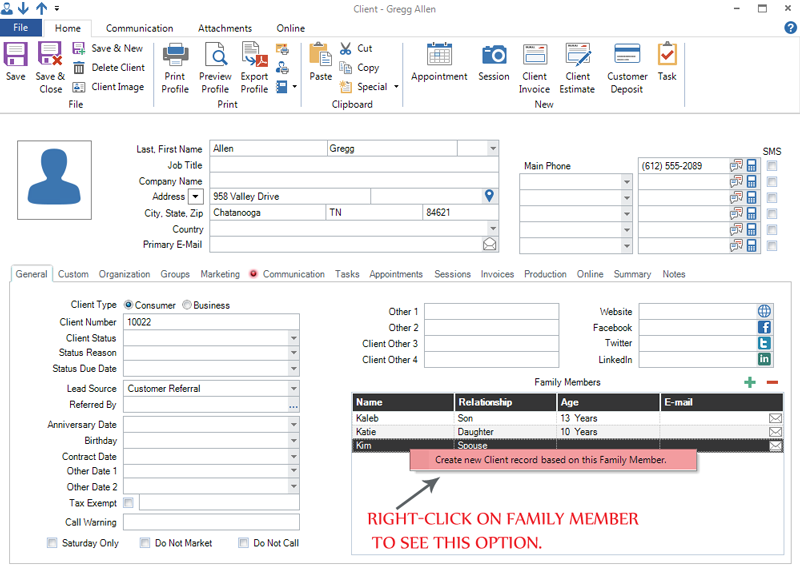
Right-click on the family member that should become a new client.
-
Click the option to create a new client record.
-
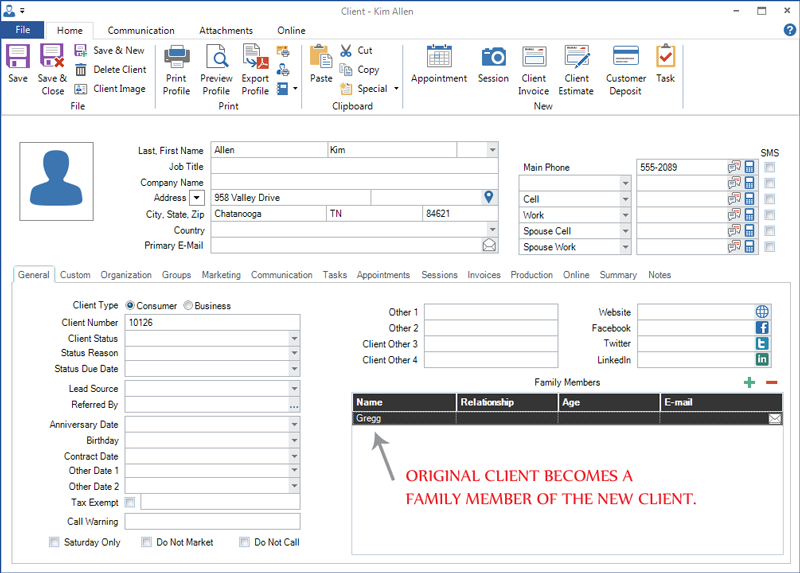
A new client record will open containing the family member’s information, along with a new client number. Note: The original client is automatically added as a family member on the new client record and the new client remains a family member on the original client.
- Save and close the new client.