
When you find duplicate clients in your database, it may be helpful to merge them. The software provides a tool for that purpose. The client merge combines information from two client records into one and then removes one of the clients from the database. Client notes are combined and all sub-records (appointments, communications, invoices, sessions, production orders, deposits, etc.) are moved to the new client.
-
Open the first client record.
-
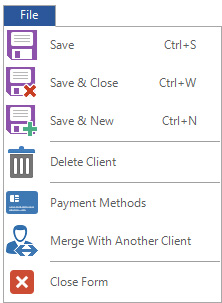
Click on the File tab in the top left corner and select Merge with Another Client.
-
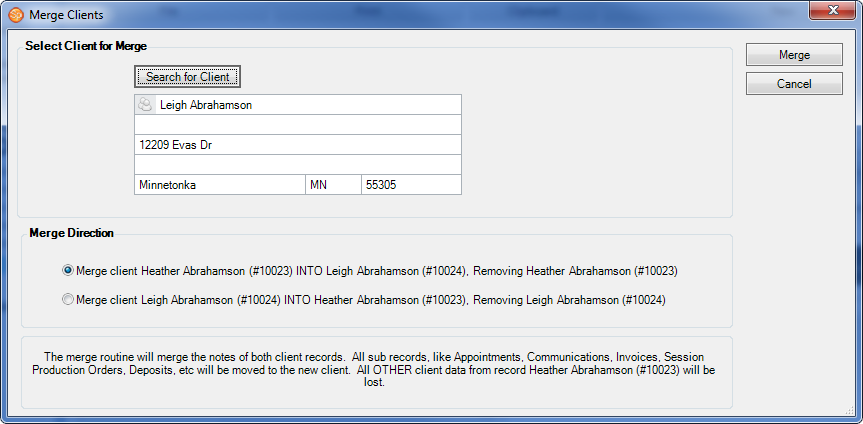
On the Merge Clients window, click Search for Client.
-
Locate the second client record and click OK.
-
Select the appropriate Merge Direction option.
-
Click Merge to complete the client merge.
HERE’S A FLASH FOR YOU!
Don’t want your employees to have the ability to merge clients? Check out Security Settings for more information!
Don’t want your employees to have the ability to merge clients? Check out Security Settings for more information!