
   | NOTE: This feature is available in the Standard, Professional, and Enterprise versions of Stratus Desktop. |
Watch the video tutorial below to learn to send email to clients and prospects individually, in bulk, and automatically.
Sending a Single Email #
From a Specific Record #
-
Open a record (client, session, invoice, etc.).
-
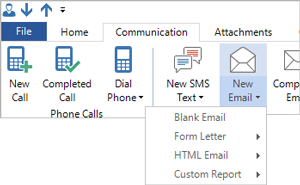
Click the Communication tab of the ribbon.
-
Click the New Email down arrow and choose Blank Email or one of your predesigned Form Letters or HTML Emails. See also: Form Letter Builder and HTML Email Builder
-
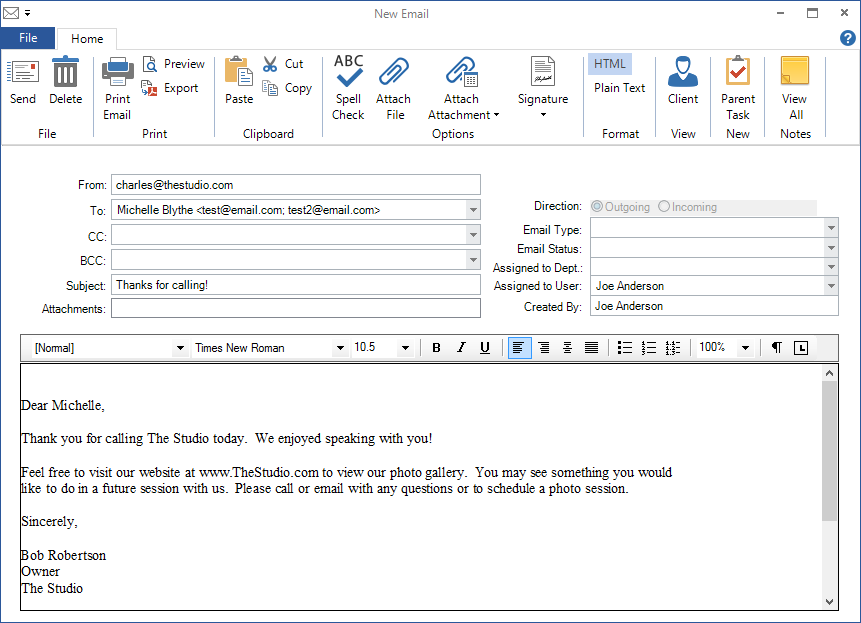
The email window will open.
-
The email will be addressed to the client. You can choose a family member’s email from the drop-down list.
-
Type in or modify the email.
-
Click Send.
On-the-Fly #
-
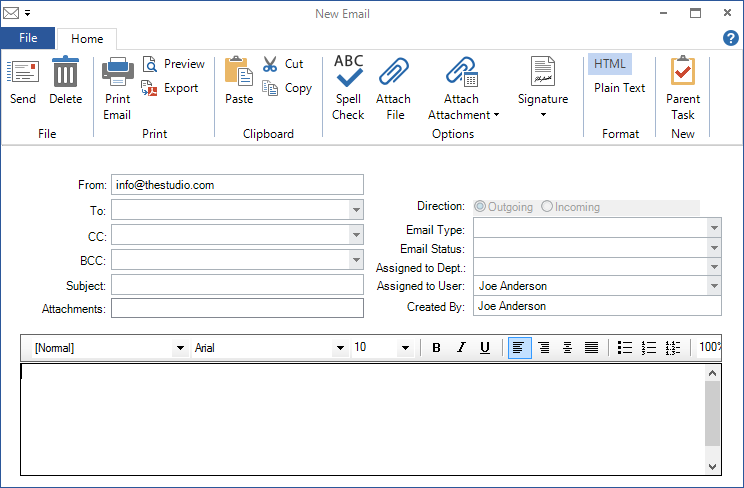
Click Message in the New group of any hub ribbon, OR click Ctrl+M.
-
Enter an email address.
-
Type your message.
-
Click Send.
Sending Bulk Emails #
Bulk emails are sent through the Communication Wizard. For more information, refer to the Communication Wizard topic.Sending Emails Automatically #
| | NOTE: This feature is available in the Professional and Enterprise versions of Stratus Desktop. |
Use triggers to automatically send emails for such things as session reminders, order pickup notices, loyalty rewards, etc. Refer to Triggers for more information.