
Turning on the Lab Integration is as easy as checking a box.
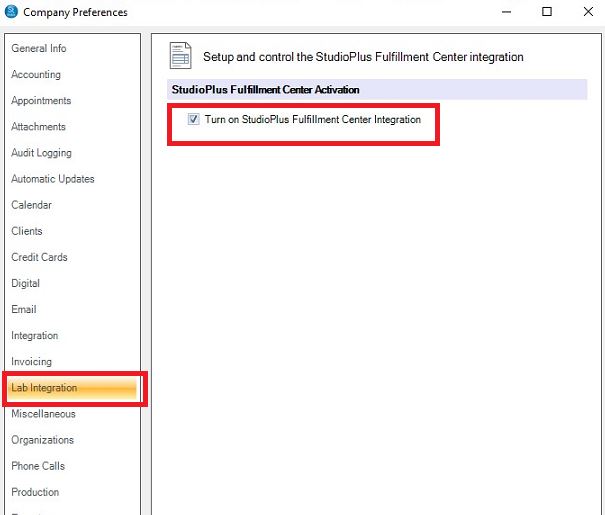
1. Go to Maintenance > Preferences > Company Preferences – Lab Integration tab
2. Click the box “Turn on StudioPlus Fulfillment Center Integration“
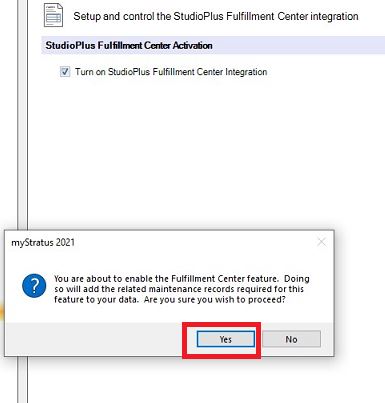
3. Once you click that box, you’ll be prompted with the message above, click “Yes“
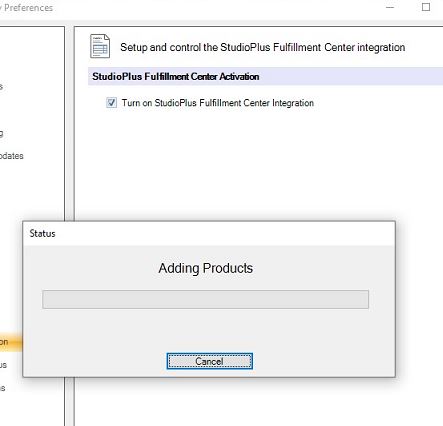
4. Now wait while we add the Maintenance Items for you
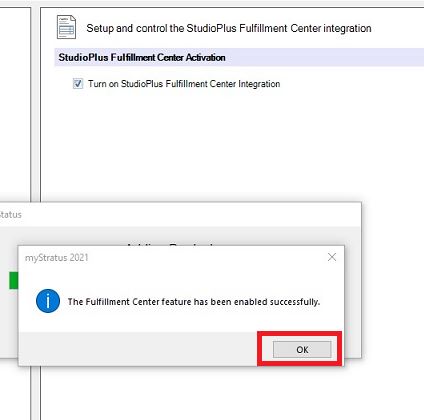
5. Once it’s finished, simply click “OK”
What’s automatically created for you?
1. New Vendor – specifically Fujifilm (Processed by StudioPlus)
2. New Vendor Products – making it easy to link them to your Price List
3. New Production Order Types – used to create Production Orders specific to Fuji
4. New Production Order Statuses – used to automate the integration between StudioPlus and Fuji
5. New Render Profile – used hand in hand with the new Production Order Status, completing the automated integration


