
The Search Hub allows you to search for Clients, Sessions or Invoices. The variety of common search fields available makes it so, so easy to find what you need.
Searching for Clients, Sessions or Invoices? Find them by using the drop down arrow to access the common fields found in Stratus Desktop. Notice the different drop down selections depending on what your searching for.
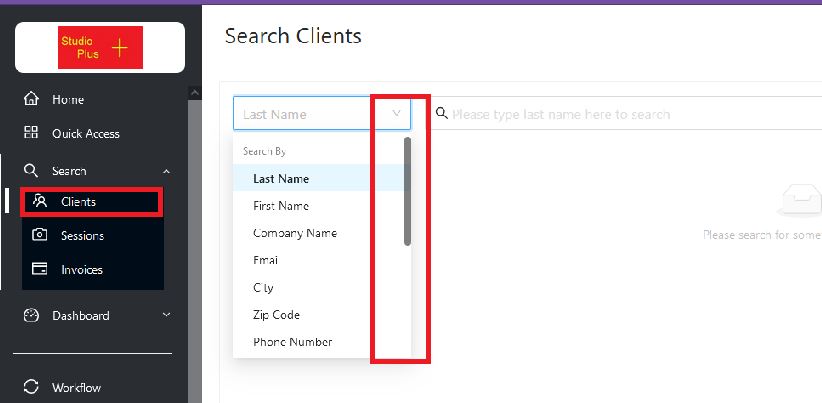
Make your selection, and while typing, the Web App brings up the records as the keystrokes are added, giving you the list as you type. Just double click on the right record!
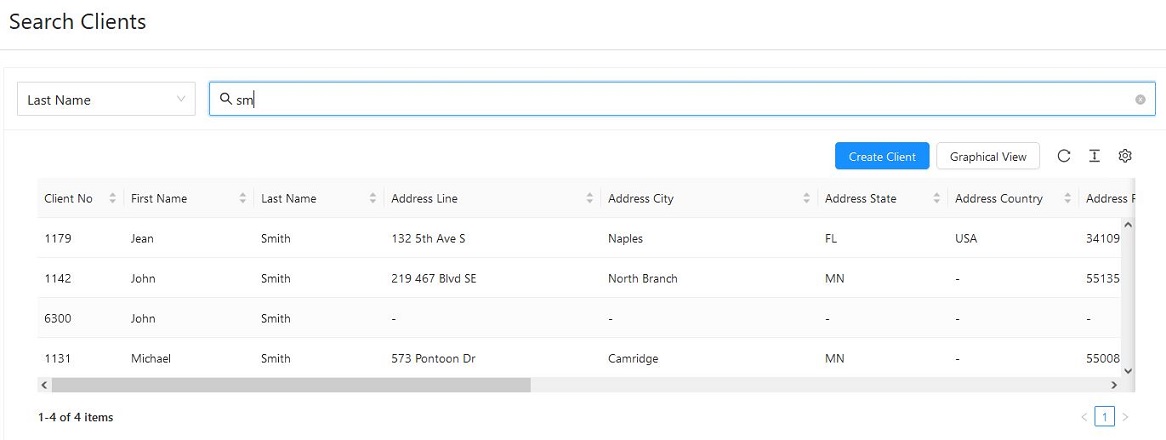
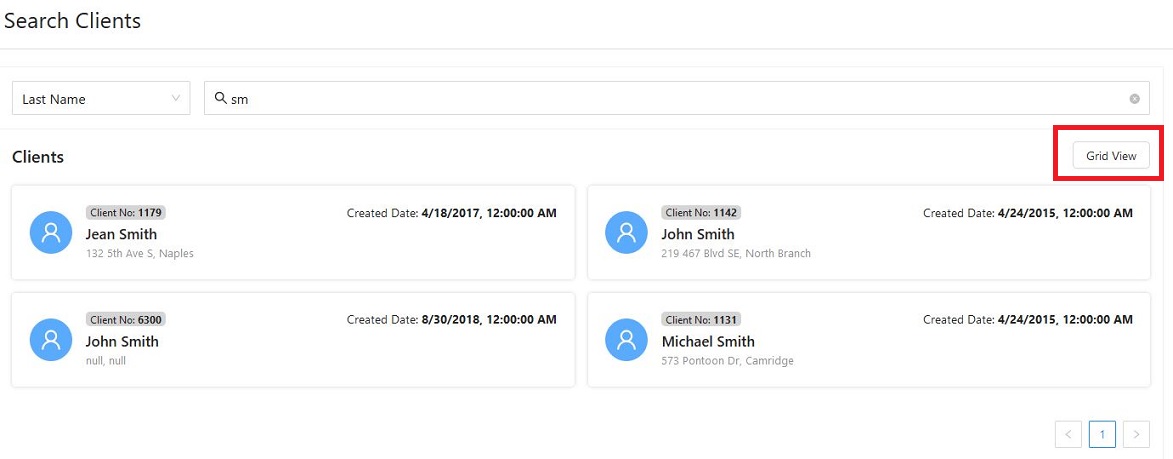
Or if you prefer a Graphical View, click the Graphical View icon.

Giving the result below, or you can select to switch it back to Grid View.
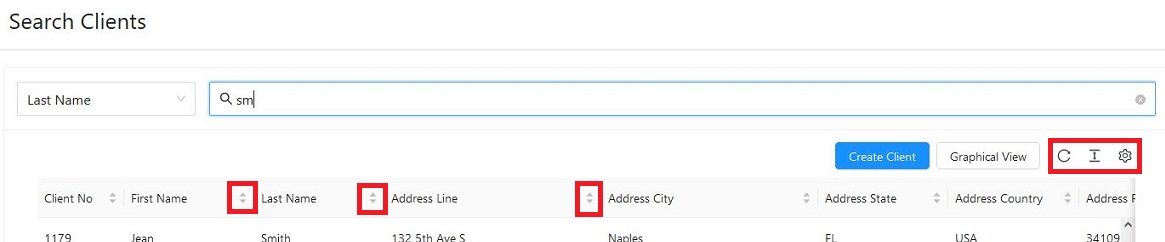
The Search Hub offers different sorting options and each column header allows you to sort by that field. You also can refresh the list, change the font of the text and the rows, and you can add or remove columns showing. Try out the various icons and see how each one can improve your work flow!
After opening a record, all the info for that record is displayed.
Below are the tools you’ll see after opening a client record.

These are the tools you’ll see after Searching for a Session record, and opening the record.

These are the tools you’ll see after Searching for an Invoice record, and opening the record.



