
You may have entered this
information in the Preferences Wizard when you set up
Spectra. Follow these steps to go back and modify the header information you entered at that time. See also: Setting up Spectra with the Preferences Wizard
information in the Preferences Wizard when you set up
Spectra. Follow these steps to go back and modify the header information you entered at that time. See also: Setting up Spectra with the Preferences Wizard
-
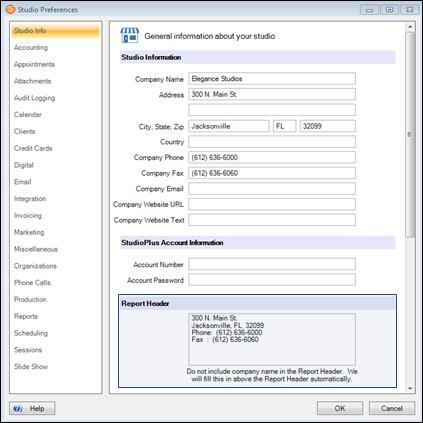
Go to Maintenance > Preferences > Studio Preferences and open the Studio Info page.
-
Update the Report Header section. Note: Your company name will automatically appear on your reports and
shouldn’t be entered in this space. -
Click OK to save your preferences.


